Avoiding Email Blacklists: Keeping Your Campaigns Where They Belong

Ayesha Ejaz Last updated on
Email marketing remains one of the highest-ROI digital channels. But even the most sophisticated campaigns can fail if your sending domain or IP lands on an email blacklist. When that happens, your emails stop reaching the inbox and start disappearing into spam folders or worse, get rejected entirely.
In this comprehensive guide, we’ll break down:
- What an email blacklist is
- Why mailbox providers block emails
- How to perform an email blacklist check
- How to conduct an email blacklist lookup
- How to remove your domain from a blacklist
- Best practices for email blacklist monitoring
If deliverability matters to your business, this is essential reading.
What Is an Email Blacklist?
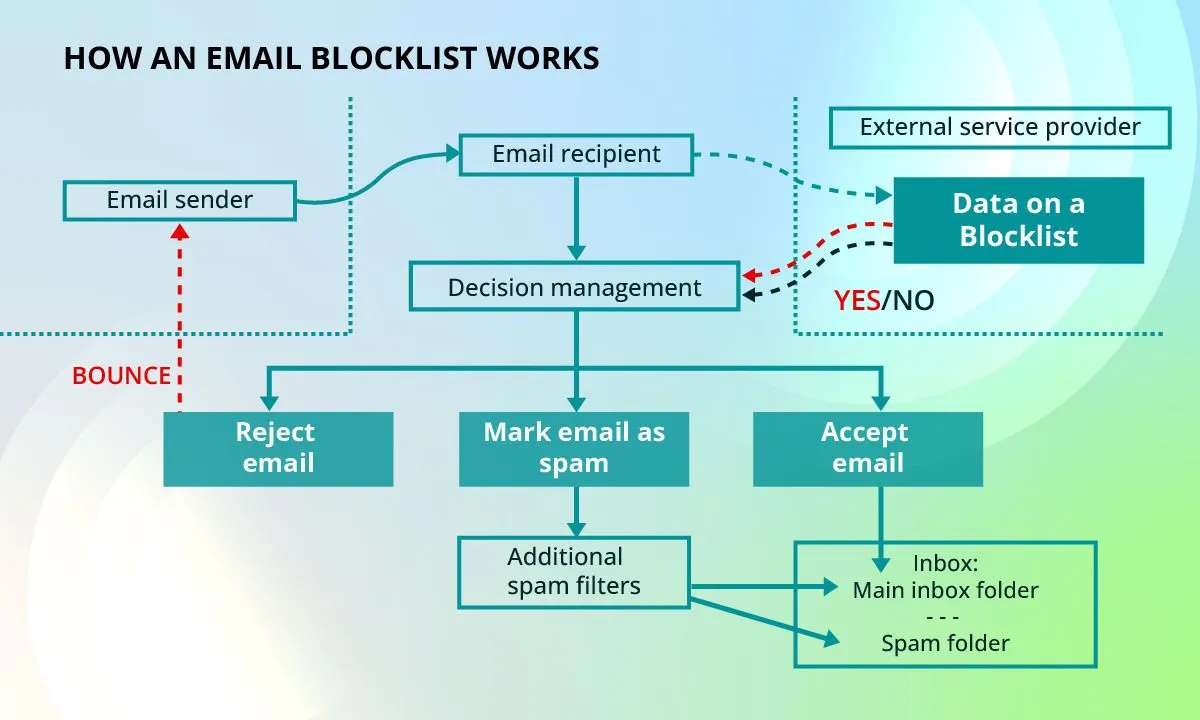
An email blacklist is a real-time database of domains and IP addresses that have been flagged for sending spam or malicious content. Mailbox providers and spam filters reference these lists to determine whether to accept, filter, or block incoming email.
If your domain or IP appears on one or more blacklist databases (also called DNSBLs or RBLs), your email deliverability can decline rapidly.
Blacklist listings typically occur when:
- Spam complaints increase
- Bounce rates spike
- Spam traps are triggered
- Authentication is misconfigured
- Unsolicited bulk email is detected
Why Do Mailbox Providers Block Emails?
Mailbox providers such as Gmail, Outlook, and Yahoo evaluate sender reputation using complex filtering algorithms. These systems consider:
- Complaint rates
- Engagement metrics
- Sending patterns
- Spam trap hits
- Authentication records
If your sending behavior resembles that of spammers, your IP or domain may be added to a public or private blacklist.
Common causes include:
- Purchased email lists
- High-volume cold outreach without consent
- Sudden spikes in sending volume
- Poor list hygiene
- Lack of SPF, DKIM, or DMARC authentication
Effects of Email Blacklisting on the Inbox
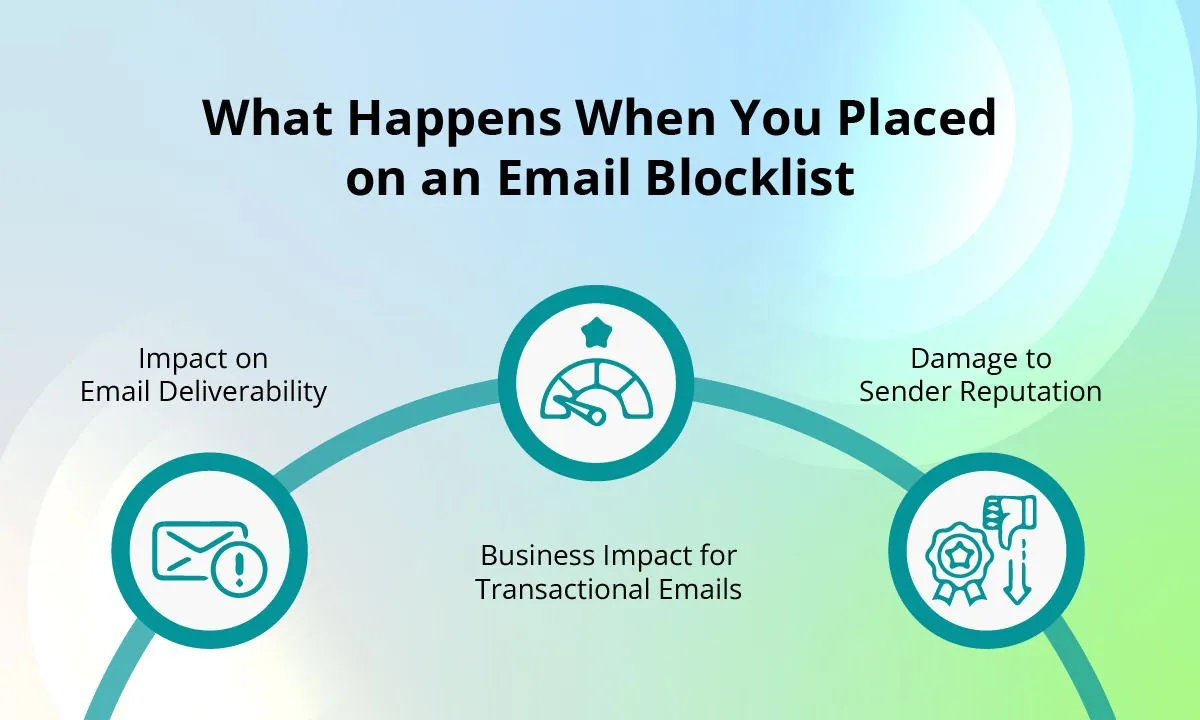
When you’re blacklisted, the impact is immediate and measurable:
- Emails go to spam instead of inbox
- Delivery rates drop sharply
- Hard bounces increase
- Revenue from email campaigns declines
- Sender reputation deteriorates
Over time, even legitimate campaigns suffer because mailbox providers lose trust in your domain.
Types of Email Blacklists
Not all blacklists function the same way. Understanding the difference is critical when conducting an email blacklist test or lookup.
Domain Blacklists
A domain blacklist flags your entire sending domain (e.g., yourcompany.com). This affects all emails sent from that domain, regardless of IP.
Domain listings are particularly damaging because:
- They impact every email account tied to that domain
- They are often reputation-based
- Recovery can take longer
IP Address Blacklisting
IP blacklists flag a specific sending IP address. If you use shared IP infrastructure, your reputation may be affected by other senders.
Dedicated IP users are fully responsible for their sending behavior.
Determining If You Are in an Email Blacklist
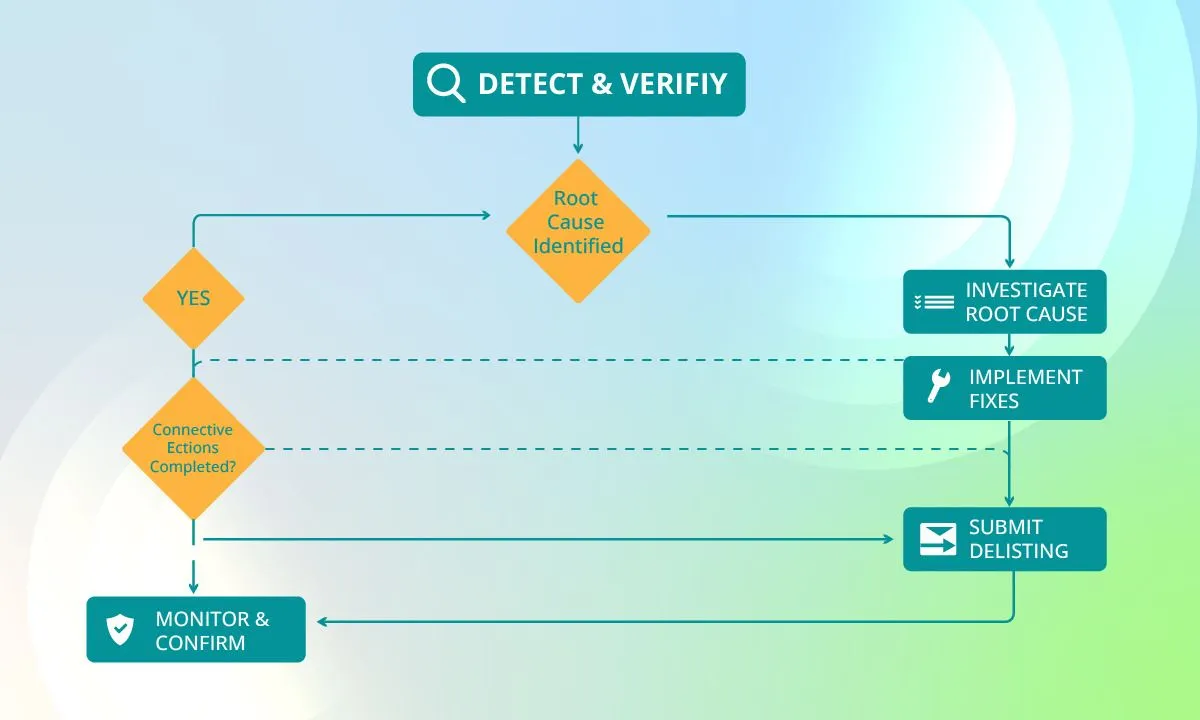
You don’t need to wait for disaster. Regular email blacklist monitoring helps you identify issues before deliverability collapses.
Here’s how to perform an effective email blacklist check.
Run a Reputation Check
Use an email blacklist checker or email blacklist checker online domain tools to scan your domain and IP against known RBL databases.
Popular tools include:
- Free email blacklist checker platforms
- Domain email blacklist checker services
- Email blacklist lookup utilities
Search terms like:
- email blacklist check
- check email blacklist
- email blacklist search
- best email blacklist checker
These tools perform a real-time email blacklist lookup across dozens of public databases.
Inspect Bounce Rates and Spam Logs
A sudden spike in hard bounces or SMTP error messages referencing blacklist codes (e.g., “550 blocked”) is a red flag.
Pay attention to:
- SMTP response codes
- Spam complaint reports
- ISP feedback loops
Compare Open Rates
If your open rates suddenly drop without changes in subject lines or content, your emails may be routed to spam or blocked entirely.
Deliverability degradation often precedes full blacklisting.
Validate SPF, DKIM, and DMARC Alignment
Authentication failures can trigger blacklist entries.
Ensure:
- SPF record authorizes your sending IP
- DKIM signatures are valid
- DMARC policy aligns with SPF/DKIM
Improper authentication is one of the most common causes of blacklisting.
Check Public RBL Databases Manually
You can manually check:
- Spamhaus
- Barracuda
- SURBL
- Invaluement
This is effectively an email blacklist test against major public blocklists.
How to Avoid an Email Blacklist
Prevention is more efficient than removal. The following best practices significantly reduce your risk.
Create High-Quality, Engaging Content
Low engagement increases spam classification risk. Improve:
- Personalization
- Segmentation
- Value-driven messaging
- Frequency control
Mailbox providers reward engagement consistency.
Ensure Your Contact List Is Up to Date
List hygiene is critical.
- Remove inactive subscribers
- Suppress hard bounces
- Clean unengaged contacts regularly
Use an email blacklist monitoring service in combination with list validation tools.
Avoid Spam Words
Excessive use of trigger phrases such as:
- “Free money”
- “Act now”
- “Guaranteed”
may negatively impact spam filtering algorithms.
Refrain From Sending Mass Emails via ISPs
Do not send bulk campaigns directly from consumer mailbox providers (e.g., Gmail or Yahoo accounts). Use a reputable email service provider with proper infrastructure.
Get Consent Before Sending Emails
Permission-based marketing is non-negotiable.
Use:
- Clear opt-in forms
- Transparent value propositions
- Subscription confirmations
Don’t Purchase Email Lists
Purchased lists often contain:
- Spam traps
- Invalid addresses
- Old or recycled accounts
This dramatically increases the likelihood of blacklisting.
Remove Email Addresses With Typos
Typographical errors (e.g., gmal.com instead of gmail.com) lead to hard bounces, which harm sender reputation.
Use Double Opt-In
Double opt-in confirms subscriber intent and reduces spam complaints.
How to Get Delisted
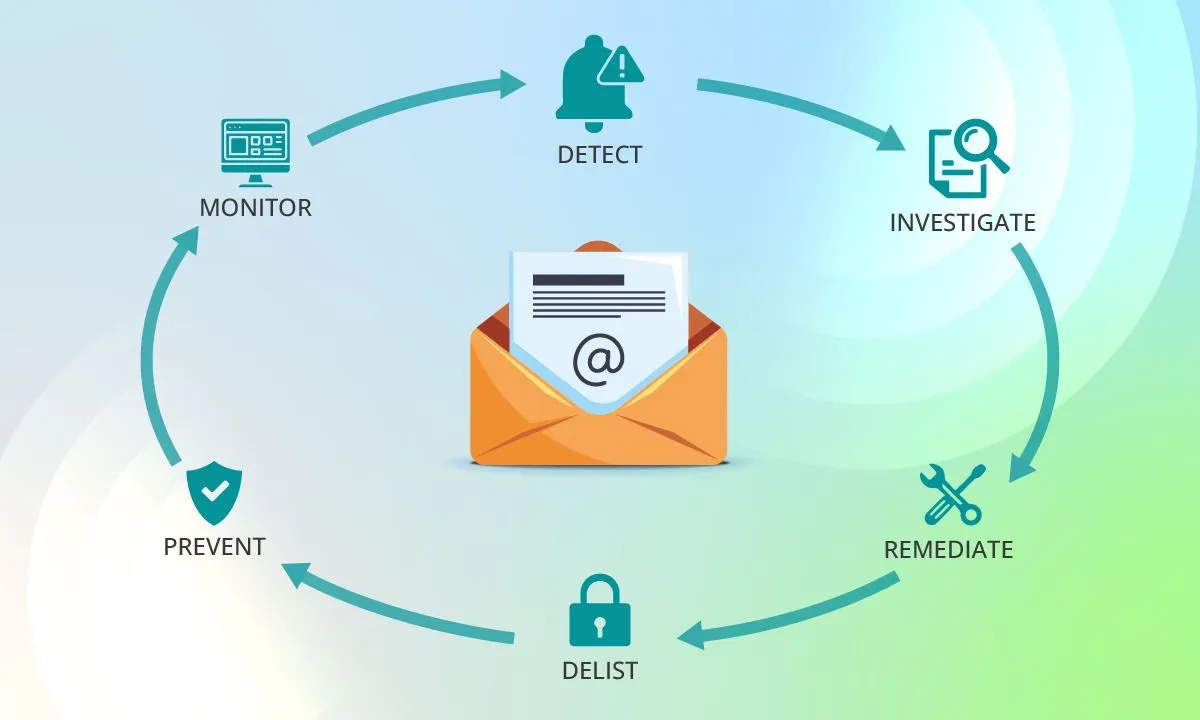
If you are already blacklisted, immediate corrective action is required.
Review Sending Guidelines
Examine your sending practices and identify:
- Volume spikes
- List acquisition methods
- Content patterns
Correct the root cause before requesting removal.
Confirm Your Domain and IP’s Spam-Free Status
Conduct a full email blacklist check and document:
- Which blacklist listed you
- When the listing occurred
- The reason (if provided)
Check and Update Authentication Records
Ensure SPF, DKIM, and DMARC records are valid and aligned.
Misconfigured authentication can prevent delisting approval.
Gather All Relevant Information
Prepare:
- Sending IP address
- Sending domain
- Explanation of corrective measures
- Evidence of improved practices
Transparency improves approval rates.
Submit a Delisting Request
Each blacklist has its own removal process. Some remove automatically after a cooling-off period. Others require manual submission.
This process is known as email blacklist removal.
After submission:
- Monitor continuously
- Reduce sending volume temporarily
- Maintain strict list hygiene
Email Blacklist Monitoring: Ongoing Protection
Continuous email blacklist monitoring is essential for long-term deliverability.
Consider:
- Automated email blacklist monitor tools
- Real-time domain email blacklist checker alerts
- Regular email blacklist tests
- Quarterly deliverability audits
Proactive monitoring prevents revenue loss and reputation damage.
Stay Ahead of the Curve: Avoid the Email Blacklist With Mailmunch
Deliverability is not just about avoiding spam—it’s about building sustainable sender reputation.
With Mailmunch, you can:
- Use double opt-in forms
- Segment audiences intelligently
- Maintain list hygiene
- Authenticate domains properly
- Monitor campaign performance closely
By combining responsible sending practices with continuous email blacklist checks and monitoring, you protect your brand and ensure your emails land exactly where they belong: the inbox.
Final Thoughts
An email blacklist can silently cripple your marketing efforts. But with disciplined list management, authentication compliance, continuous monitoring, and proper sending practices, you can prevent blacklisting and recover quickly if it happens.
Make email blacklist monitoring part of your standard operating procedure. Because in email marketing, reputation is everything.