Referral Emails – How to Use Them Effectively in Your Marketing Strategy

Ayesha Ejaz Last updated on

Referral email campaigns remain among the most effective growth hacks in digital marketing. When done right, they can turn your happiest customers into advocates, drive referral traffic, and boost conversions at low cost. In this post, we’ll dig deep into everything you need to know about referral emails: what they are, how they work, how to create high‑converting ones, and how to measure success.
What Is a Referral Email?
Definition & Purpose
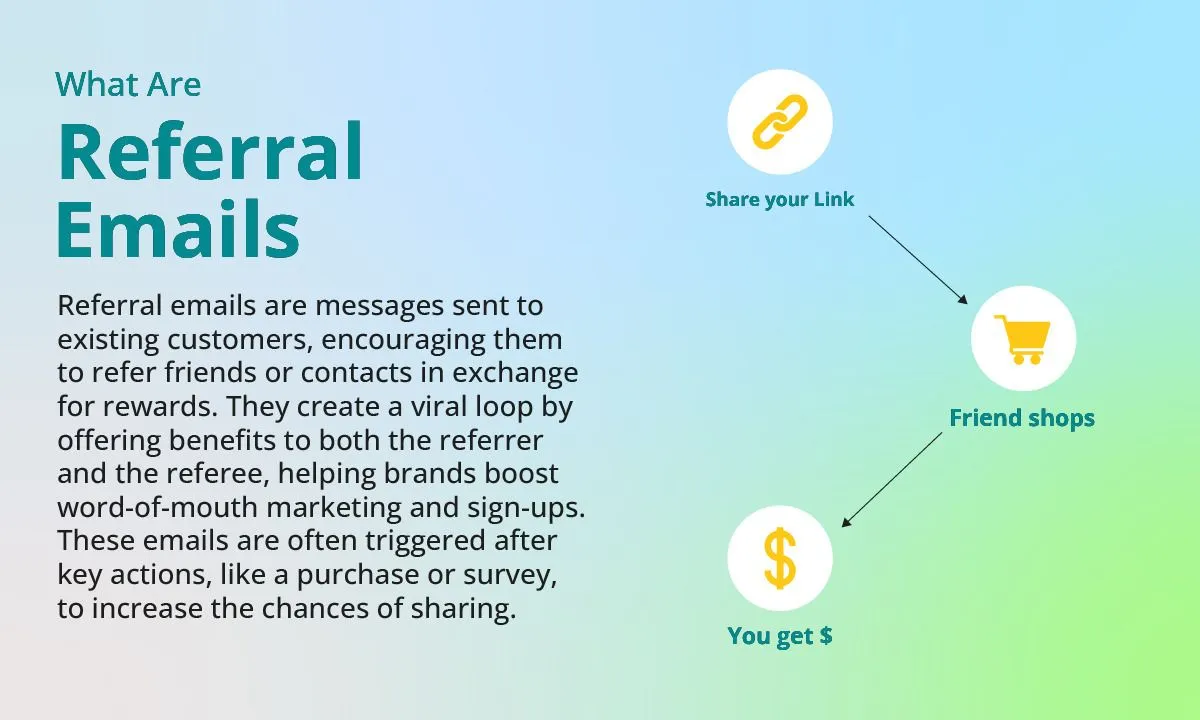
A referral email (also known as a “refer‑a‑friend” email) is a message sent to existing customers or subscribers, inviting them to share your product, service, or brand with their network.
In return, both the referrer (the person sending the recommendation) and the referee (the person being referred) often receive incentives, such as discounts, credits, freebies, or exclusive perks.
The goal is dual:
- Encourage your existing audience to spread the word
- Acquire new customers or users via trusted word-of-mouth
The mechanics tend to follow a pattern:
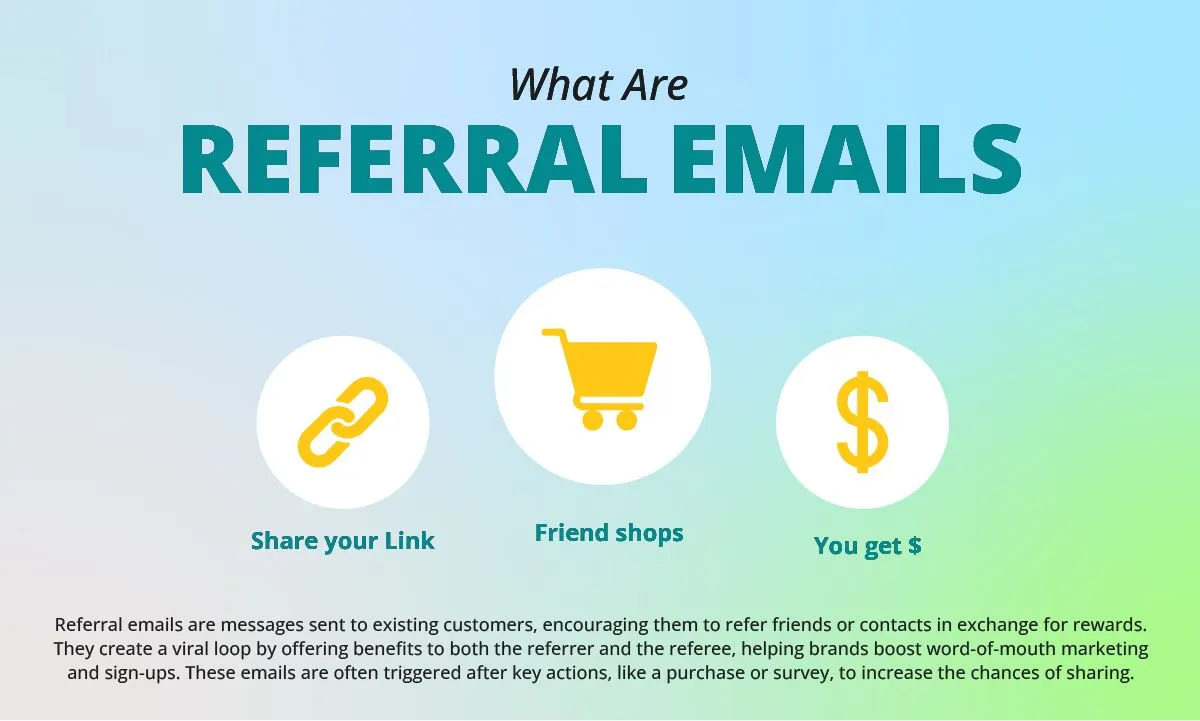
- Each user gets a unique referral link or code embedded in the email
- The recipient or the referrer shares that link (via email, social, messaging)
- When someone clicks and completes the desired action (signup, purchase), the system records that referral and issues rewards
- The cycle repeats, fueling growth
Referral email programs usually lean on referral software or integrations that generate and monitor unique tracking codes or links for each user.
Role in Driving Referral Traffic
One of the biggest benefits of referral email campaigns is their ability to drive referral traffic; visits to your site originating from links shared outside of search engines (e.g. from email, social, blogs, etc.).
In contrast to generic marketing or advertisements, referral emails tap into personal trust and relationships, prompting higher engagement.Because the share often comes from someone the recipient knows (or respects), referral emails can accelerate word-of-mouth growth.
In essence, each satisfied customer becomes a micro‑promoter. The more they share, the more referral traffic you get, which in turn can feed new conversions and recruits into the cycle.
Benefits of Using Referral Emails in Digital Marketing
Deploying referral emails doesn’t just feel good the collected data supports serious strategic advantages.
Trust and Credibility
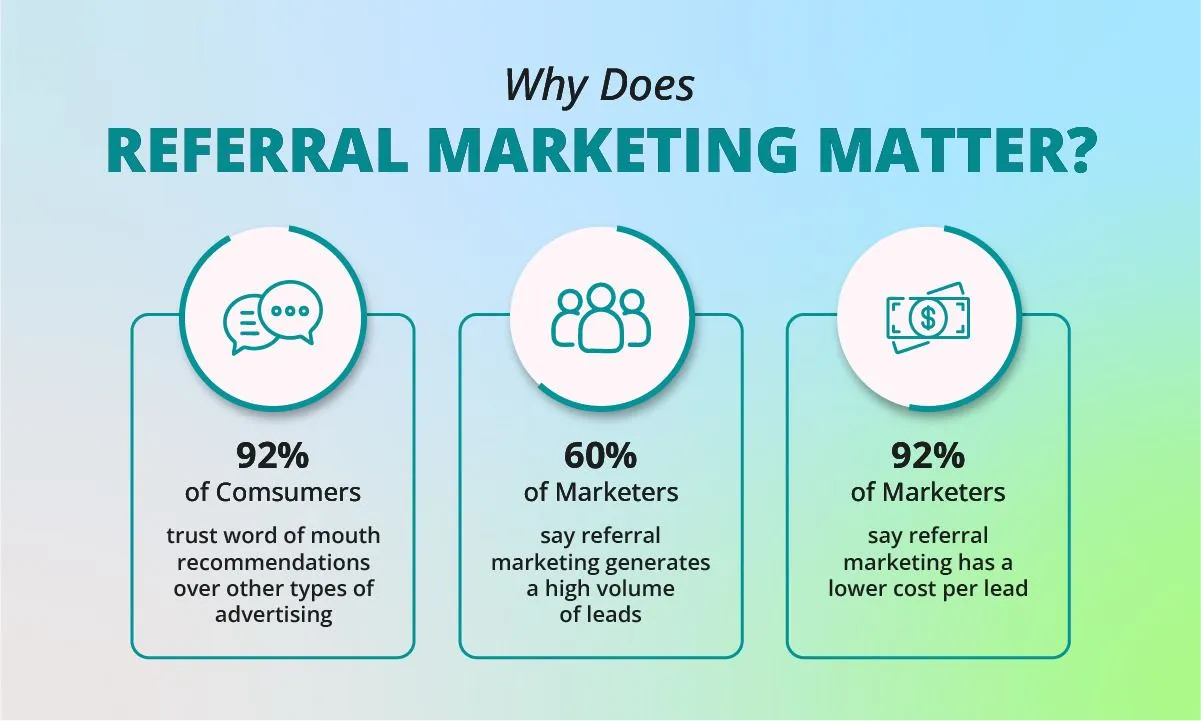
Referrals carry an inherent trust signal. People generally trust recommendations from friends, colleagues, or acquaintances more than ads or cold outreach. That personal endorsement lowers friction and boosts conversion likelihood compared to digital ads or overt promotions.
Low Customer Acquisition Cost
Because you’re leveraging existing customers to do the promotion, referral emails often entail minimal media spend. Your primary costs are incentives, software, and creative investment but not high ad budgets. Over time, the ROI can be very favorable.
Higher Lifetime Value
Many studies show that referred customers tend to be more loyal, have higher retention, and spend more over time. This is likely because they enter based on a trusted recommendation and come in with better expectations.
Scalable Growth
Referral email campaigns can be inherently scalable. As more people share your referral, the reach compounds. This viral multiplier effect means your growth potential isn’t limited to linear ad spend; satisfied customers help do part of the work.
Best Practices for Creating High-Converting Referral Emails
Creating a successful referral email campaign is not just about sending a message; it requires a well-thought-out combination of persuasive copywriting, intuitive design, smart targeting, and strategic timing.
When done right, referral emails can convert loyal customers into brand ambassadors and generate consistent referral traffic that translates into measurable growth.
Crafting Effective Copy
The copy within your referral emails should be clear, concise, and benefit-focused. Begin by establishing a compelling value proposition that communicates exactly what each party stands to gain from participating in the referral program.
For instance, phrases like "Give 10 percent, get 10 percent" or "Share with a friend and both receive $10 credit" immediately highlight mutual benefits and make the offer feel worthwhile.
- Always aim to use simple, conversational language; avoid burying key details or instructions in complex jargon or fine print, as this can reduce clarity and discourage action. The easier it is for readers to understand the offer and next steps, the more likely they are to follow through.
- Appeal to reciprocity, a powerful psychological trigger, by emphasizing how everyone wins from sharing. Humans are naturally inclined to help others when they also receive something in return, so highlighting this mutual benefit can significantly increase engagement.
- Incorporate social proof where possible, such as mentioning how many people have already shared or benefited from the program. You can also introduce a sense of urgency by stating that the offer is limited to the first few hundred participants, or that it expires soon, which encourages quicker action.
- Lastly, personalize your emails using dynamic fields such as the recipient’s name and a unique referral link or code. Personalization enhances the relevance of your message and can significantly increase click-through rates.
Design and Layout Tips
The visual structure of your email plays a major role in determining whether the recipient takes the desired action. Use a clean and uncluttered layout with a clear visual hierarchy so the message is easy to scan. Break content into sections with clear headings and brief descriptions; this helps users quickly understand the offer without reading every word.
- Place a prominent and visually distinct call-to-action (CTA) button in the body of the email. The CTA should use action-oriented language, such as "Invite a Friend," "Share & Earn," or "Claim Your Reward," so recipients immediately understand what clicking the button will do. The button should stand out visually, using contrasting colors or whitespace to draw attention.
- Enable frictionless sharing by including share buttons for platforms like email, social media, and messaging apps. You can also pre-fill messages that users can send with a single click, which reduces effort and increases the likelihood of sharing.
- Since many recipients will view your email on a smartphone, mobile optimization is essential. Make sure the layout, buttons, and content are fully responsive so users can easily interact with the email on smaller screens.
- Add visual cues like arrows, icons, or highlighted boxes that guide users’ eyes toward the referral link or CTA button. These subtle design elements can help increase engagement by making the next step obvious.
Subject Line Optimization
Your subject line is the first impression your email makes, and it determines whether the email gets opened or ignored. An effective subject line should be short, direct, and benefit-driven. Try formats like "Give $10, Get $10," "Invite Friends and Earn Rewards," or "Your Exclusive Referral Link is Inside."
- Where possible, mention the incentive directly in the subject line to increase relevance and click potential. Keep it concise, ideally under 50 characters, so it displays well on mobile devices and in inbox previews.
- Use A/B testing to compare different subject line variations. For example, you might test curiosity-driven lines against benefit-driven ones, or compare personalized subject lines with generic ones.
Ideal Timing and Frequency
The timing of your referral email is just as important as its content. Aim to trigger your initial referral invitation after key engagement milestones.
- Avoid sending referral emails too early in the customer journey, especially before the user has had a chance to form a favorable opinion of your product or service. The more satisfied the user is, the higher the likelihood that they will participate in your referral program.
- Use a multi-touch approach by scheduling follow-up or reminder emails for users who haven’t responded to the first message. These can be spaced a few days apart and include slightly different messaging or incentives to rekindle interest. Just be careful not to overwhelm your audience with too many emails, as this can lead to unsubscribes.
- Integrate automated drip campaigns into your referral strategy. Drip campaigns allow you to set up timed sequences that automatically follow up with users based on their behavior, such as whether they clicked the referral link, opened the email, or completed a referral. This ensures that your messaging stays timely and relevant without requiring constant manual effort.
Referral Email Campaign Flow and Sequence Table
| Purpose | Key Elements | |
|---|---|---|
| Email 1 Introduction to the Referral Program | Announce the referral program, explain benefits, and invite participation. | Clearly outline what the program is and how it works Include the unique referral link or code Present simple, step-by-step instructions |
| Email 2 Reminder with Stronger CTA | Remind users who haven't taken action. | Add urgency or a limited-time message Enhance the incentive if needed Highlight progress (e.g., “One friend already signed up”) Use social proof (“Hundreds are already earning rewards”) |
| Email 3 Thank You / Reward Follow-up | Reward those who participated and nurture future engagement. | Confirm successful referral and deliver the reward Send a final reminder to non-participants Offer alternate ways to engage Optionally collect testimonials or feedback |
Trigger-Based Campaigns
Beyond fixed sequences, you can use behavioral triggers:
- Send a referral invite when a user hits a usage milestone
- Trigger a reminder if a user opened but didn’t click the referral email
- Send re-engagement referral prompts when a user becomes more active again
- Use dynamic segmentation to tailor referral messaging based on user behavior or purchase history
Real-World Examples and Templates
Here are a few example templates of referral emails to help you get started with your campaigns.
Template Ideas
Template 1 – “Invite Your Friends” Email
Subject: “Give $10, Get $10 — Invite a Friend Today”
Body:
Hi [Name],
We’re excited to share our new referral program. It’s simple: send your unique link below to friends. When they sign up, you both get $10 credit.
[Referral Link / Button]
Thanks for helping us grow!
Warm regards,
[Your Brand]
Template 2 – Reminder to Share
Subject: “Don’t forget — your friends could save too”
Body:
Hey [Name],
Just a friendly reminder — you still have a referral link waiting. Your friends get [benefit], and you get rewarded too!
[Referral Button]
Need help? Reply and we’ll assist.
Template 3 – Thank-you + Reward Delivery
Subject: “Thanks for sharing — here’s your reward!”
Body:
Hi [Name],
You’ve successfully referred [Friend Name]. As promised, here’s your reward: [Reward Code / Credit].
Click here to redeem: [Link]
Thank you for being a champion of our brand — we appreciate you.
Best,
[Brand Team]
Key Metrics to Measure Referral Email Success
When it comes to referral email campaigns, success isn’t just about how many people receive your emails. Referral emails are all about how effectively they translate into referral traffic, new customers, and repeat engagement.
Tracking the right metrics helps you understand what’s working, what’s not, and where to optimize. Below are the most important KPIs (Key Performance Indicators) to monitor for a data-driven referral program.
1. Referral Clicks
What it measures:
The total number of unique visits generated through referral links shared via email.
Why it matters:
Referral clicks are the first indicator of engagement. They reveal whether your email content and CTAs are compelling enough for users to take action and share your referral link.
How to improve:
- Use clear, action-oriented CTAs like “Refer Now,” “Share & Earn,” or “Invite a Friend.”
- Highlight the benefit upfront — e.g., “Get $10 for every friend who signs up.”
- Optimize for mobile devices so users can share links in a single tap.
Pro tip:
Tag your referral links with UTM parameters (e.g., utm_source=email&utm_campaign=referral_program) to easily track referral traffic performance inside Google Analytics.
2. Conversion Rate (Referral-to-Signup or Referral-to-Purchase)
What it measures:
The percentage of referred users who actually convert; either by signing up, subscribing, or making a purchase.
Why it matters:
High referral clicks mean nothing if conversions don’t follow. Your conversion rate shows how persuasive your landing page and referral incentive are to new visitors.
How to improve:
- Match the message: Ensure your landing page clearly repeats the same reward or offer mentioned in the referral email.
- Simplify the signup process: The fewer the steps, the higher the conversion rate.
- Test incentives (discounts vs. credits) to see which drives more signups.
Example:
If 1,000 people click a referral link and 150 sign up, your conversion rate is 15% — a solid benchmark for well-optimized programs.
3. Cost Per Acquisition (CPA)
What it measures:
The total cost (usually the referral reward or discount) divided by the number of successful referred conversions.
Why it matters:
CPA helps determine whether your referral campaign is financially sustainable. A lower CPA means you’re acquiring new customers efficiently compared to other marketing channels like paid ads.
How to improve:
- Offer tiered incentives (e.g., “Refer 3 friends, earn a bonus reward”) to increase engagement without increasing base CPA.
- A/B test reward types — some audiences respond better to store credits than cash or discounts.
- Use email automation to target only high-value customers for referral offers, improving ROI.
Formula:
CPA = Total Reward Cost ÷ Number of Successful Referrals
Example:
If you spend $500 on rewards and gain 100 referred customers, your CPA is $5 per acquisition.
4. Customer Lifetime Value (CLV) of Referred Users
What it measures:
The average total revenue a referred customer generates throughout their relationship with your brand.
Why it matters:
Referred customers typically have a higher lifetime value because they start their journey with built-in trust. They’re more loyal, less price-sensitive, and more likely to refer others fueling exponential growth.
How to improve:
- Nurture referred users with personalized follow-up emails or loyalty programs.
- Send thank-you emails to referrers and referred users to keep them engaged.
- Track CLV across different referral campaigns to identify your highest-value segments.
Example Insight:
Brands like Dropbox and Airbnb built massive user bases with high-LTV referrals every referred customer not only converted faster but also became a frequent user, reinforcing the cycle.
5. Share Rate (Optional but Insightful)
What it measures:
The percentage of customers who share their referral link or code after receiving your referral email.
Why it matters:
This metric reveals how motivated your audience is to participate. A low share rate could mean unclear incentives or poor email timing.
How to improve:
- Highlight social proof (e.g., “Join 10,000 users already earning rewards”).
- Use gamification (“Top referrers of the month get a bonus!”).
- Add in-email sharing buttons (WhatsApp, Messenger, etc.) to make sharing effortless.
Optimization Strategies
Once you’re tracking the key metrics above, the next step is continuous optimization. Referral campaigns thrive on iteration; even a small improvement in conversion rate or share rate can translate into thousands in new revenue.
Here are some proven optimization strategies to maximize referral email performance:
1. A/B Test Incentives
Not all audiences respond to the same motivators.
Experiment with:
- Discounts vs. Credits – Credits encourage repeat purchases.
- Free Gifts vs. Percentage Discounts – Test which drives higher referrals.
- Dual-sided rewards – Programs that benefit both the referrer and the referee usually outperform one-sided incentives.
Track the results using Google Analytics conversion events or your email platform’s performance dashboard.
2. Experiment with CTA Design and Placement
Your call-to-action button should stand out both visually and contextually.
- Try contrasting colors that match your brand palette but grab attention.
- Test different button copy (e.g., “Start Sharing,” “Claim Your Reward,” “Refer a Friend”).
- Place the CTA above the fold for immediate visibility, and repeat it near the end of the email.
Even subtle design changes can lead to significant lift in click-through rates.
3. Analyze and Optimize Subject Lines
Subject lines drive open rates — and open rates drive everything else.
Test multiple approaches:
- Incentive-first: “Earn $10 every time a friend signs up!”
- Curiosity-driven: “Your friend list might just earn you rewards…”
- Urgency-based: “Last chance to double your referral rewards!”
Use your ESP’s reporting (or platforms like Mailmunch and Drip) to compare open rates and CTRs across subject line variants.
4. Track Behavioral Data
Use analytics tools to track not just clicks, but the full referral funnel:
- Referral link clicks → Landing page views → Conversions → Repeat purchases.
- Segment results by device type, email list segment, or referral source.
If you’re wondering how to track referral keywords in Google Analytics, go to:
Acquisition → Traffic → Referrals — and analyze which sources and keywords drive the highest-value traffic.
5. Continuous Iteration
Referral performance is never “set and forget.”
Review results weekly or monthly:
- Identify your top-performing referral email.
- Study which subject lines, reward types, and designs drive conversions.
- Scale what works; retire what doesn’t.
The more you test, the closer you get to a referral system that runs like a well-oiled growth engine.
Putting It All Together
A high-performing referral email program combines:
- Strong incentives that excite your audience.
- Easy sharing mechanisms that reduce friction.
- Data-backed insights that drive continuous optimization.
By tracking these metrics — Referral Clicks, Conversion Rate, CPA, and CLV; and refining based on performance, you’ll turn your referral emails into one of your most powerful, predictable, and scalable growth channels.
Recommended Tools and Integrations
Running an effective referral email program requires the right mix of tools and platforms that automate tracking, manage rewards, and integrate with your existing marketing stack.
Below are key categories and tools to help you streamline the process.
1. Referral Platforms
Referral platforms simplify the setup, tracking, and reward management of your referral campaigns. They eliminate manual work and ensure every referral is tracked accurately.
- ReferralCandy – Ideal for e-commerce brands, it automates post-purchase referral invites, manages rewards, and integrates with Shopify, WooCommerce, and BigCommerce.
- Friendbuy – Great for subscription-based or DTC businesses, offering embeddable referral widgets, real-time analytics, and A/B testing.
- GrowSurf – Designed for SaaS and B2B companies, providing API-driven automation, milestone rewards, and integrations with tools like HubSpot and Drip.
2. Email Marketing Platforms with Referral Features
Your email marketing platform is the foundation of your referral workflow. Modern tools like Mailmunch, Drip, and Klaviyo allow you to create automated, data-driven referral sequences that increase engagement and conversions.
1. Mailmunch – Referral-Friendly Automations and Templates
Mailmunch makes it easy to design and automate referral email sequences; from invite to reminder to reward delivery.
You can personalize referral links, trigger post-purchase emails, and track performance directly inside the dashboard.
With API and webhook support, Mailmunch integrates effortlessly with referral software for full-funnel tracking.
2. Drip – E-commerce Automation with Referral Support
Drip combines email automation with e-commerce intelligence. You can build behavior-based referral workflows, segment users by referral activity, and A/B test incentives or CTAs to maximize conversions.
3. Klaviyo – Powerful Targeting and Analytics
Klaviyo enables dynamic referral campaigns using detailed segmentation and referral data. Integrations with tools like Friendbuy let you automate personalized referral journeys and deliver timely rewards.
3. Analytics and Tracking Tools
To measure success, you need visibility into how referral traffic performs across channels. Analytics tools give you that insight.
- Google Analytics (GA4): Track referral traffic under Acquisition → Traffic → Referrals, and use UTM parameters to measure conversions by campaign or email source.
- HubSpot: Combine referral data with CRM insights to see how referred leads move through your funnel and trigger follow-up workflows.
- Custom Dashboards (Looker Studio or Tableau): Merge data from your ESP, referral platform, and analytics tool for unified performance reporting.
Together, these tools reveal which referral emails drive the most clicks, conversions, and ROI — helping you refine campaigns for scalable, sustainable growth.
Conclusion
Referral emails are more than just a growth tactic, they are a more sustainable marketing engine built on trust, simplicity, and genuine customer advocacy.
Whether you’re an email marketing manager looking to scale efficiently or a brand owner exploring cost-effective acquisition channels, referral emails can unlock a steady stream of high-intent, loyal customers.
Ready to build your first referral campaign?
Start with Mailmunch’s automation tools and pre-designed templates to launch a fully optimized referral email workflow today.
FAQs
What is a referral keyword?
A referral keyword refers to the specific words or phrases linked to a referral source that drives traffic to your website they are usually found in analytics tools under referral reports.
How is referral traffic different from organic traffic?
Referral traffic comes from other websites or shared links, while organic traffic originates from search engine queries.
How do referral keywords work in email campaigns?
They help identify which referral emails or campaigns generated the most traffic and conversions, making optimization easier.
How can I track referral keywords in Google Analytics?
Navigate to Acquisition → Traffic → Referrals. You’ll see which domains and campaigns bring in referral visits.
What are the benefits of referral keywords in digital marketing?
They provide insights into how word-of-mouth and shared links influence conversions, allowing marketers to refine campaigns and boost ROI.