What is CRM? A Beginner’s Guide to Understanding Customer Relationship Management

Ayesha Ejaz Last updated on
If you’ve been running a business, you’ve probably heard people talk about CRM. Maybe you’ve even Googled “What is CRM?” a few times but ended up with complicated definitions full of buzzwords.
Here’s the truth: CRM (Customer Relationship Management) is simply about managing your relationships with customers in a smarter way. And these days, CRM usually refers to software tools that help you do exactly that.
Let’s walk through what CRM really means, why it matters for your business, the different types of CRM systems, and how to pick one that fits your needs.
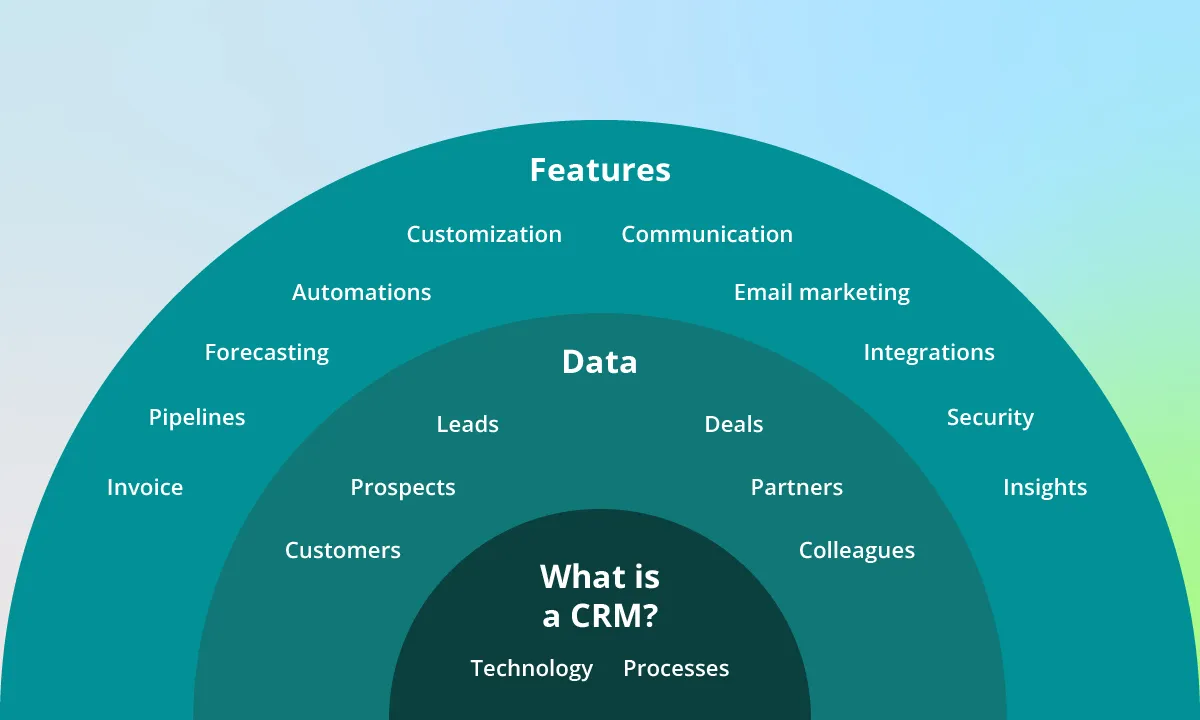
What is CRM?
At its most basic, CRM stands for Customer Relationship Management.
- As a strategy, it’s how your business builds and maintains strong customer relationships.
- As software, it’s a platform that stores customer information, tracks sales, manages communication, and streamlines processes.
Think of it as moving from a messy notebook or spreadsheet into a clean, organized digital hub that your whole team can use.
Why Do Businesses Need CRM?
If you’re just starting out, you might wonder: “Why can’t I just use spreadsheets or email to manage customers?”
The problem is that as your business grows, things quickly become unmanageable. Leads fall through the cracks. Follow-ups get missed. Sales opportunities slip away.
Here’s where a CRM makes all the difference:
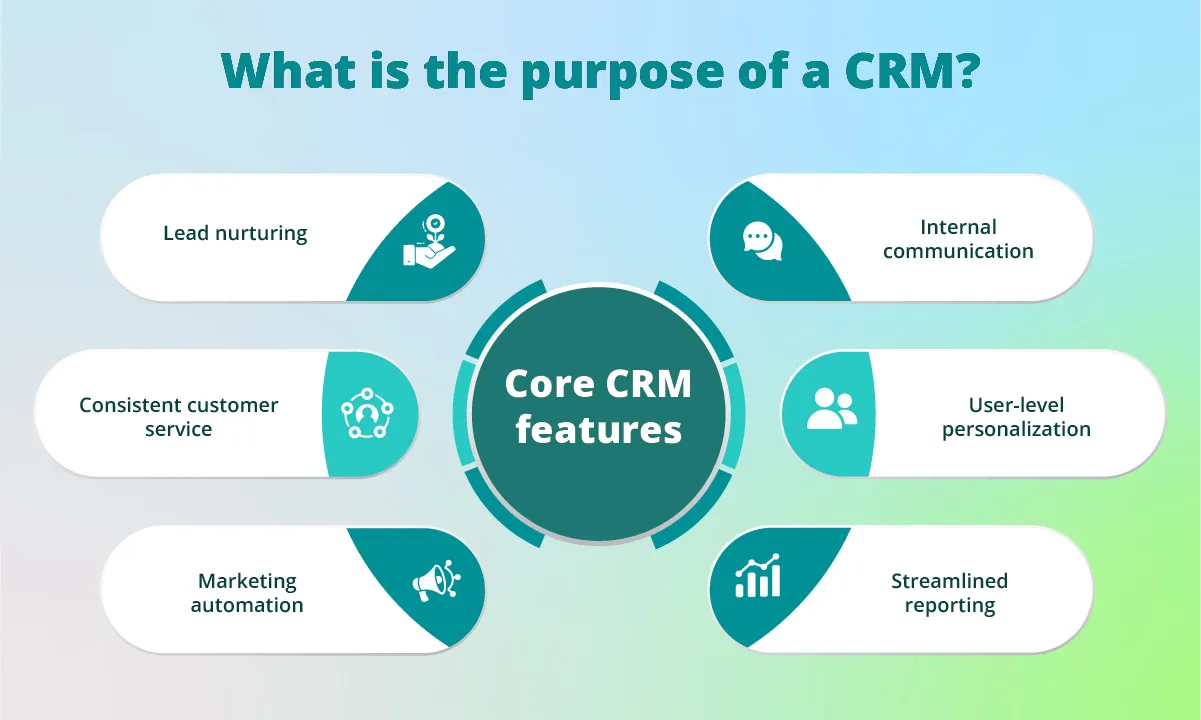
- Centralized data – All customer info is stored in one place.
- Improved customer experience – Quick, personalized responses.
- Stronger sales and marketing alignment – Both teams see the same customer journey.
- Better decision-making – Reports and analytics show what’s working (and what’s not).
- Revenue growth – Businesses using CRM often see higher sales and retention rates.
Example: Imagine you run an online store. Without CRM, your sales team might not know which customers already spoke to support, leading to awkward overlaps. With CRM, everyone sees the same customer history, so interactions feel smooth and professional.
How Does a CRM System Work?
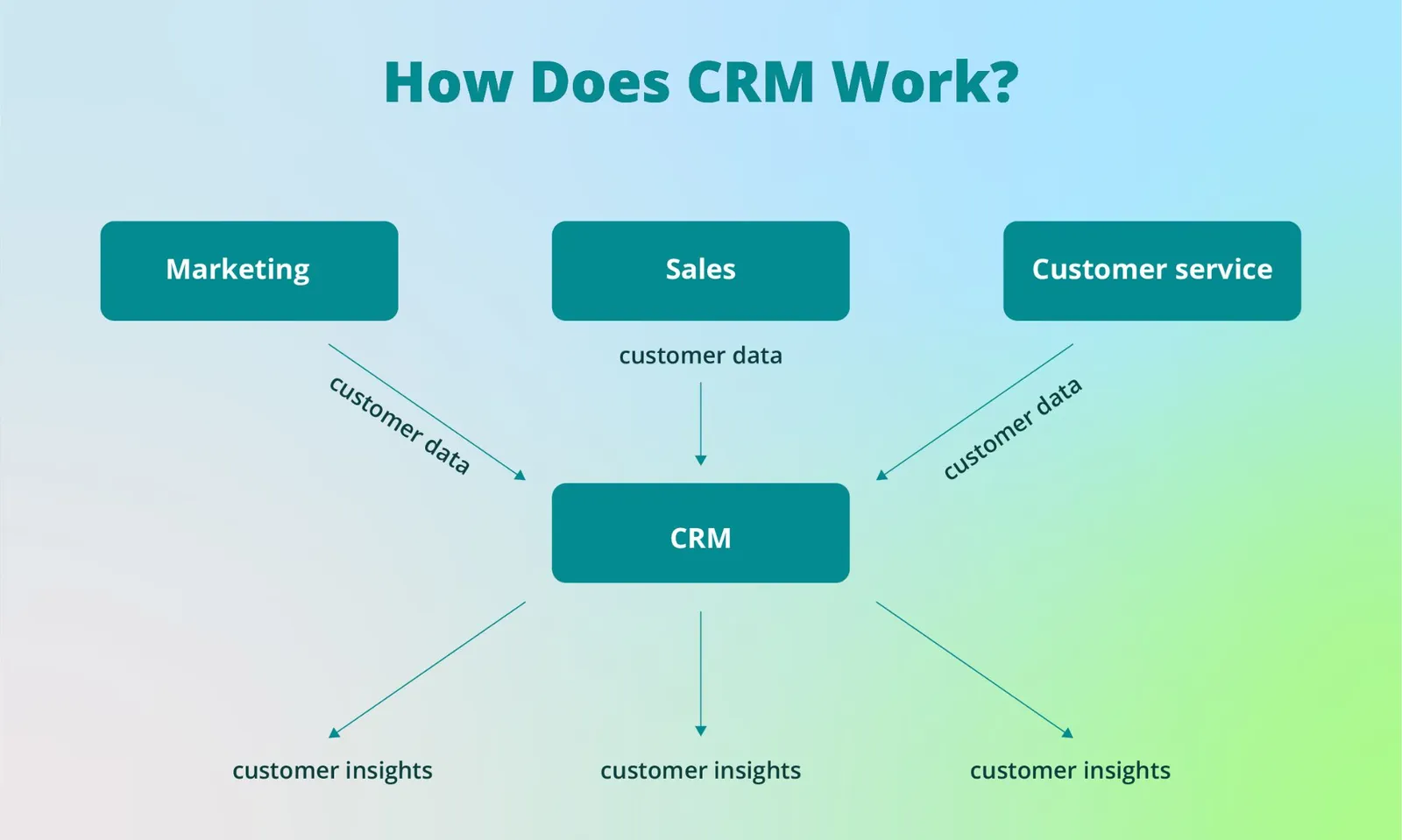
Think of a CRM system as a digital assistant for your business.
Here’s how it works in practice:
- Collects customer data – from your website forms, emails, phone calls, or social media.
- Tracks interactions – every call, email, or message gets logged.
- Automates tasks – sends follow-up emails, reminders, or even invoices.
- Provides insights – generates reports so you can forecast sales or spot trends.
Real-world example: A potential customer downloads a guide from your website. Your CRM captures their details, assigns them to a sales rep, sends an automated welcome email, and tracks every step until they buy.
Key Features of CRM Software
Not all CRMs are built the same, but most good ones come packed with a few must-have features that make life a lot easier for sales and marketing teams. Here’s what to look for:
1. Contact & Lead Management
Think of this as your digital rolodex, except way smarter. A CRM keeps all your customer details, notes, past conversations, and history neatly organized in one place. No more digging through messy spreadsheets or old email threads to remember what you last discussed with a client.
2. Sales Pipeline Tracking
Every deal goes through a journey from “just browsing” to “ready to sign.” With pipeline tracking, you can actually see where each lead is in that journey. It’s like having a bird’s-eye view of your sales process so nothing slips through the cracks.
3. Automation
Nobody likes repetitive tasks. A good CRM will automate the boring stuff like sending follow-up emails, scheduling reminders, or moving leads along in the pipeline. This way, your team spends less time on busy work and more time building real relationships.
4. Reporting & Analytics
Want to know which sales rep is crushing it, or which campaign actually brought in the most leads? Reporting and analytics give you those insights. Instead of guessing, you’ll have data to back your decisions, helping you spot what’s working (and fix what’s not).
5. Integration
Your CRM shouldn’t live in a bubble. The best ones connect with your existing tools, email, social media, or marketing platforms. This makes your workflow seamless and keeps all your data talking to each other, so you’re not juggling multiple systems.
At the end of the day, these features aren’t just about fancy dashboards. They’re about saving time, cutting down on mistakes, and helping your team focus on what really matters: closing deals and keeping customers happy.
Types of CRM Systems
Once you dive into the world of CRMs, you’ll quickly realize there’s no one-size-fits-all. Different systems are designed to do different jobs, depending on what your business needs most. Here’s a quick and simple breakdown:
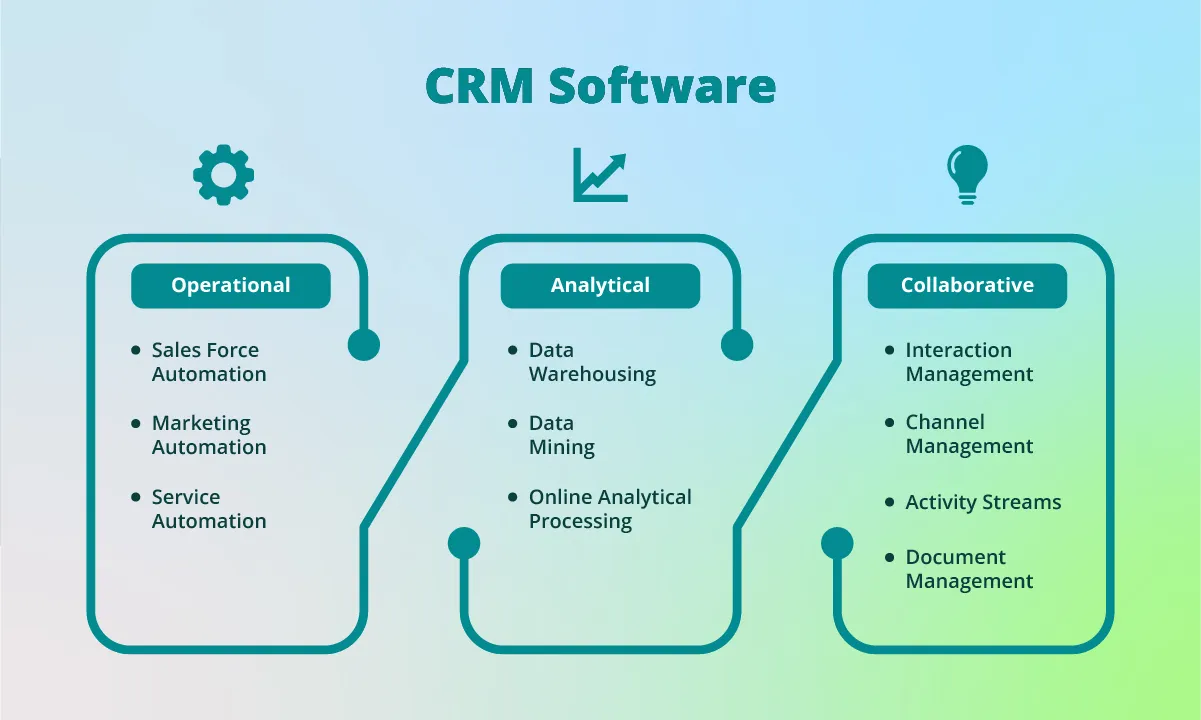
1. Operational CRM
This type is all about streamlining the day-to-day stuff. Think sales emails, follow-ups, customer support tickets, or even entire marketing campaigns running on autopilot. An operational CRM takes the repetitive work off your plate so your team can focus on bigger things—like actually talking to customers.
Best for: Small to medium-sized businesses that want to boost efficiency and keep things running smoothly without hiring a massive support team.
2. Analytical CRM
If you’re the kind of business that loves data, this one’s for you. Analytical CRMs dig deep into customer information—like purchase history, behavior patterns, or campaign performance—and turn it into insights. This helps you spot trends, predict future customer needs, and make decisions based on facts instead of hunches.
Best for: Companies that want to be more data-driven and use customer insights to shape smarter strategies.
3. Collaborative CRM
Here’s where teamwork really shines. A collaborative CRM breaks down silos between departments, so sales, marketing, and customer service can all share the same customer information. No more “he said, she said” when dealing with clients—everyone’s on the same page. That means customers get smoother, more consistent experiences, no matter who they’re talking to.
Best for: Businesses where multiple teams need to stay in sync and work together to keep customers happy.
CRM in Action: Marketing, Sales & Service
A good CRM isn’t just about storing data — it actively supports different parts of your business.
- Marketing – Run targeted campaigns, nurture leads, and segment audiences.
- Sales – Manage your pipeline, track progress, and forecast future revenue.
- Customer Service – Handle support tickets, resolve issues quickly, and improve satisfaction.
This is why many businesses see CRM as a “must-have” tool, not just a nice-to-have.
What is CRM Software Used For?
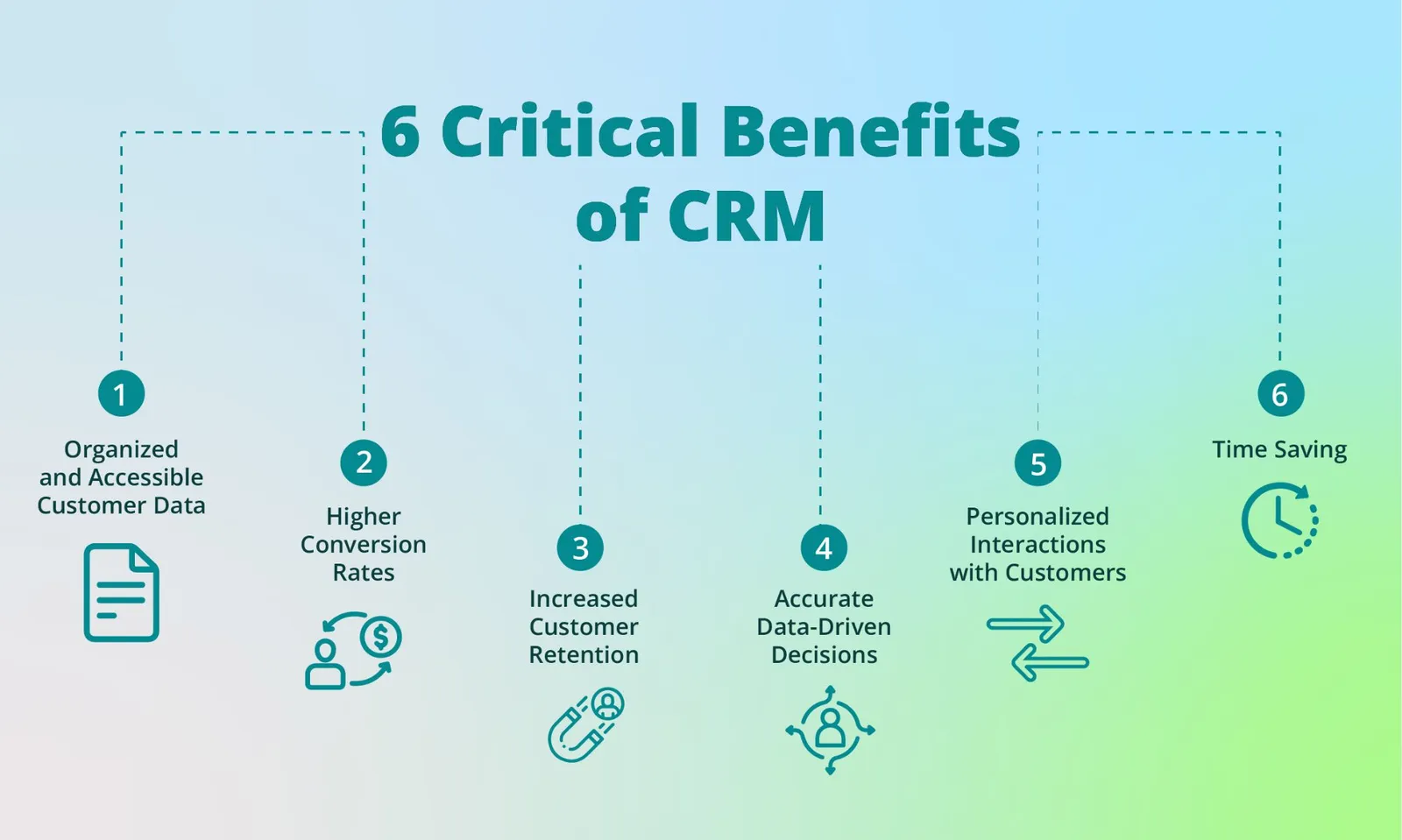
In everyday business, CRM software is used to:
- Manage all customer interactions across multiple channels.
- Track sales performance and team productivity.
- Automate repetitive tasks like reminders and follow-up emails.
- Personalize communication for stronger connections.
- Improve the overall customer experience.
Simply put, it helps you stay organized, efficient, and customer-focused.
Choosing the Right CRM for Your Business
So, how do you actually pick the CRM that’s right for you? With so many options out there, it can feel a little overwhelming. The trick is to focus on what your business really needs, not just the shiniest features. Here are some key things to think about:
1. Business Size and Needs
A five-person startup won’t need (or want to pay for) the same system as a global enterprise. Start by asking: what’s the main problem you want the CRM to solve? For small teams, it might be staying organized and saving time. For larger companies, it could be handling complex pipelines or managing thousands of customer interactions.
2. Cloud-Based vs. On-Premise
Most small and medium businesses go for cloud-based CRMs—they’re flexible, easy to set up, and don’t require a big IT department. On-premise systems, on the other hand, give you more control and security, but they also come with higher setup costs and maintenance.
3. Ease of Use
A CRM is only as good as the people using it. If your team finds it clunky or confusing, chances are it’ll collect dust. Look for a system with a clean interface, simple navigation, and minimal training required. The easier it is, the more likely your team will actually stick with it.
4. Integrations
Your CRM shouldn’t live in isolation. Make sure it plays nicely with the tools you already use—like your email marketing platform, social media channels, or e-commerce system. Integrations help you avoid double work and keep everything connected.
5. Budget & ROI
Price matters, but don’t just look at the upfront cost. Think about the value you’ll get in return. A slightly more expensive CRM that saves your team hours each week or helps close more deals can easily pay for itself.
Conclusion
CRM isn’t just about software, it’s about transforming how your business interacts with customers. Whether you’re trying to grow sales, streamline processes, or improve customer satisfaction, a CRM system is the tool that helps you scale without losing that personal touch.
If you’ve been struggling with messy spreadsheets or missed follow-ups, now might be the perfect time to invest in a CRM. It’s not just for big companies anymore today’s CRMs are affordable, easy to set up, and designed to help businesses like yours grow.