


Last updated on
December 3, 2025
In 2025, eCommerce marketing is more competitive and data-driven than ever and it's looking like 2026 is going to be another year of progress.
Between nurturing leads, managing multiple campaigns, and tracking analytics, marketers are balancing more responsibilities than human bandwidth allows. That’s where marketing automation workflows come in serving as your behind-the-scenes assistant to streamline engagement, personalize experiences, and scale results effortlessly.
In this in-depth guide, we’ll unpack everything eCommerce managers need to know about marketing automation workflows from what they are to how to build, optimize, and scale them. Along the way, we’ll spotlight Mailmunch, a powerful automation platform built for eCommerce marketers who want simplicity, sophistication, and measurable ROI.
A marketing automation workflow is a pre-defined sequence of automated actions triggered by customer behaviors or data points. These actions like sending emails, assigning tags, or updating CRM data are strategically timed to move users through your marketing funnel.
For example, when a customer signs up for your newsletter, a welcome email is sent instantly. If they browse a product but don’t complete a purchase, a reminder follows after 24 hours. If they buy, a post-purchase thank-you message goes out. Every step is automatic, triggered by user interaction and powered by workflow logic.
Visually, marketing automation workflows resemble branching flowcharts. Tools like Mailmunch allow marketers to design these workflows through visual drag-and-drop interfaces that make even complex customer journeys easy to map and manage.
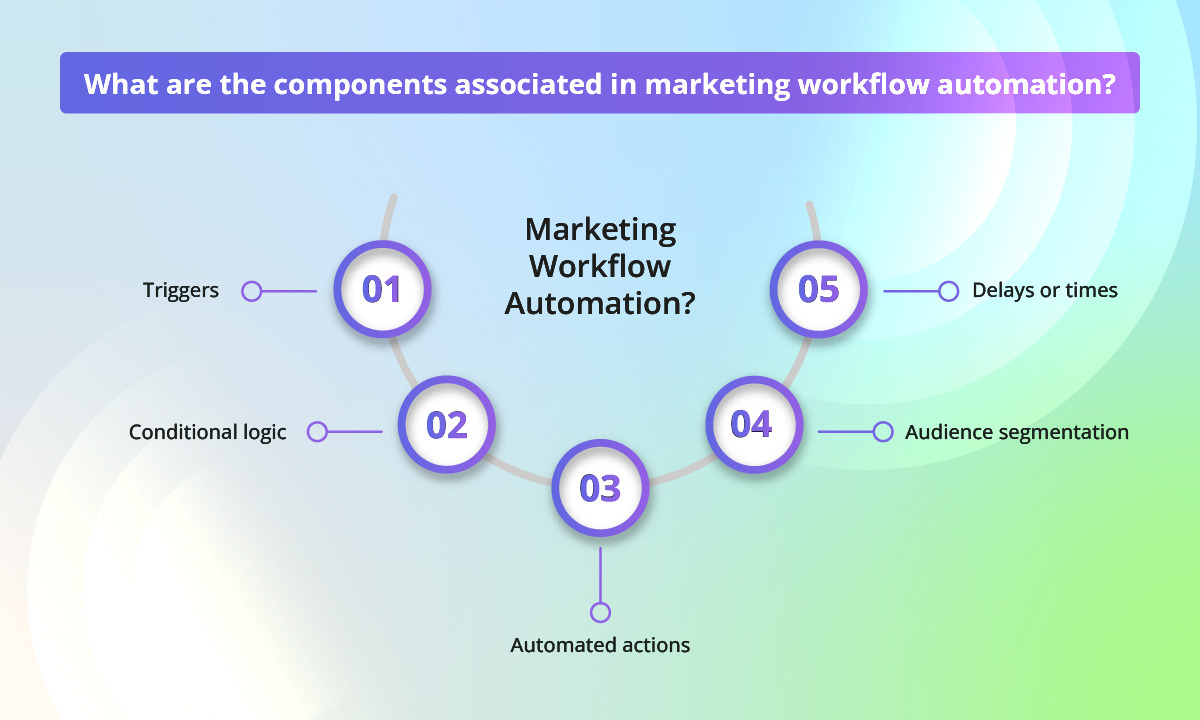
Manual email marketing works at a small scale but collapses under growth. Sending campaigns manually to thousands of subscribers, tracking behaviors, or personalizing content for each segment is time-consuming and prone to inconsistency. As your list grows, manual processes lead to missed opportunities, late messages, and data silos.
Optimized marketing automation workflows transform chaos into control. Here’s why:
A common example is the abandoned cart recovery workflow. Instead of losing potential revenue, automation tools like Mailmunch automatically trigger reminder emails or limited-time discounts, helping brands recover up to 20–30% of lost sales.
Optimization isn’t about sending more emails; it’s about refining logic. Mailmunch helps brands improve ROI by providing analytics dashboards, behavioral segmentation, and A/B testing features that reveal what truly works. Whether it’s timing, subject lines, or content, data-driven optimization ensures every automated message counts.
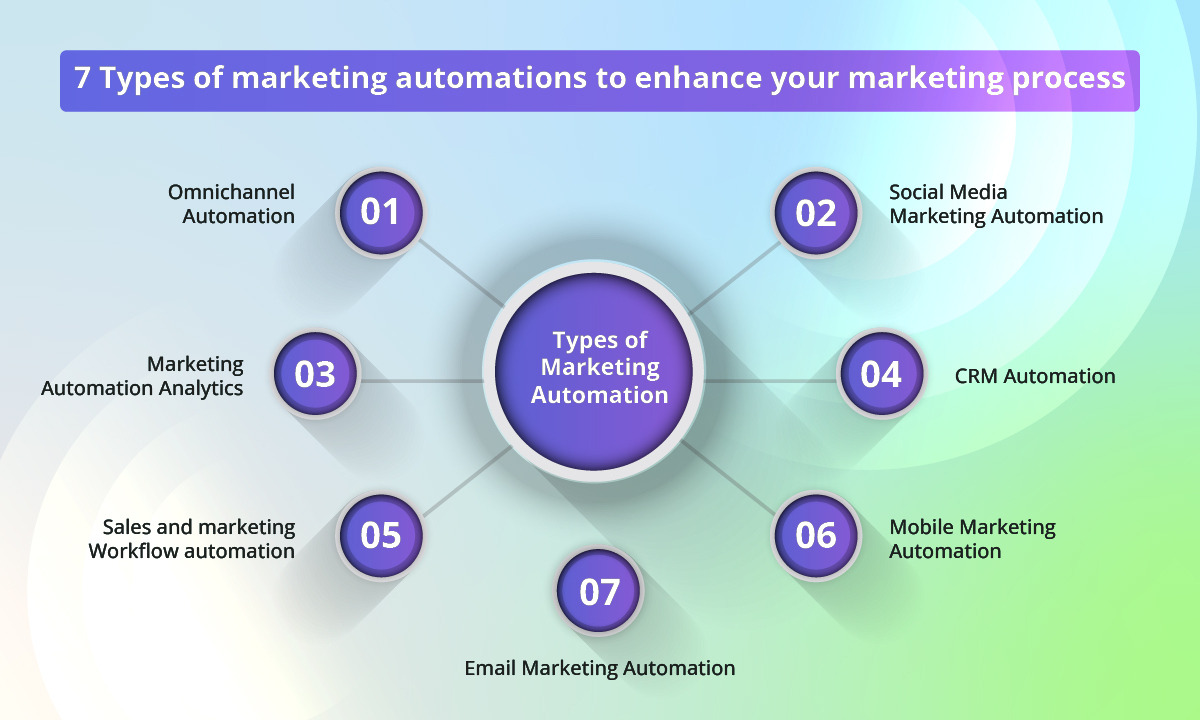
Classic workflows form the foundation of every marketing strategy. These include:
These workflows are easy to set up using Mailmunch’s pre-built templates, making them perfect for small to medium-sized stores.
Customized workflows cater to specific audience behaviors and lifecycle stages. Examples include:
Mailmunch’s segmentation engine allows marketers to build these sophisticated workflows without needing code using intuitive rules and triggers to personalize each message.
Move from standard to customized workflows when your customer base is diverse, your list surpasses 5,000 contacts, or you run multiple campaigns targeting unique audience segments.
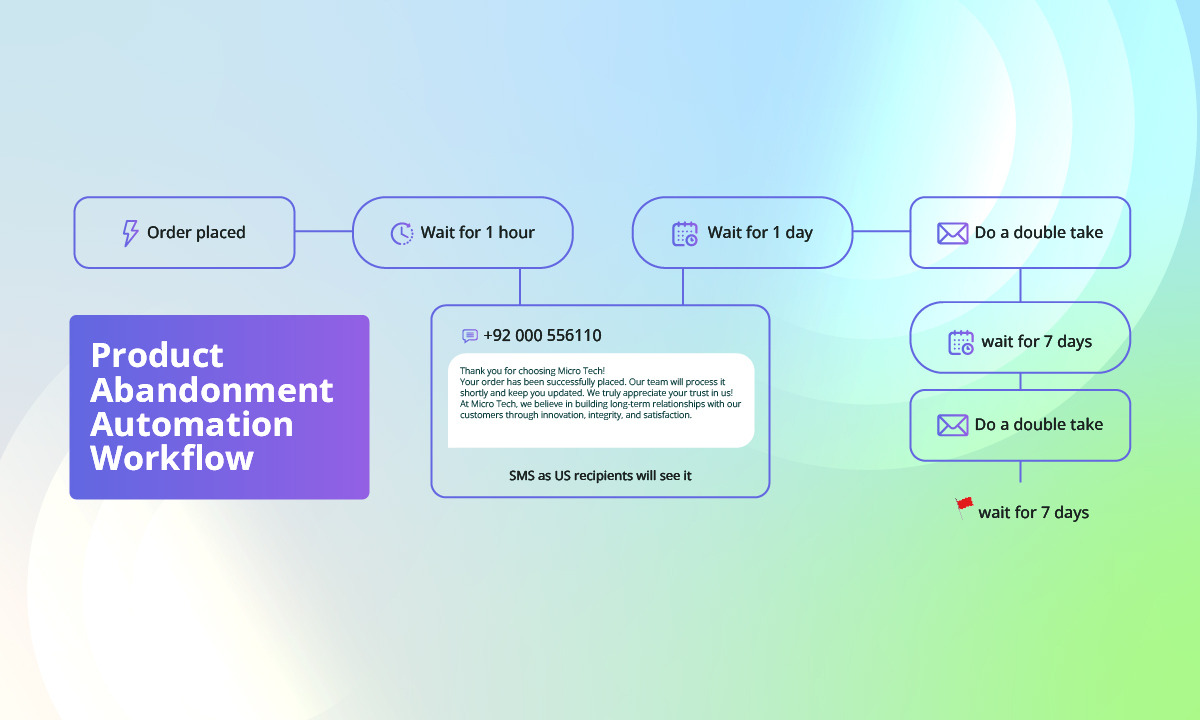
Every automation workflow should begin with a goal — such as nurturing leads, driving conversions, or increasing retention. A goal-driven workflow ensures that every message serves a strategic purpose.
Map every customer interaction — from awareness to post-purchase. Identify what actions should trigger automated sequences (signups, purchases, inactivity, etc.). Mailmunch’s visual workflow builder helps marketers map and visualize these customer journeys effortlessly.
Segmentation ensures that your emails are relevant. Create segments based on:
Mailmunch automatically tags subscribers based on these behaviors, ensuring your automations hit the right audience every time.
Choosing the right tool can make or break your workflow strategy.
Automation isn’t a “set and forget” process. Regularly test your subject lines, triggers, and sending times. Mailmunch’s analytics dashboard gives you real-time insights to help refine performance and improve ROI over time.
A welcome series is your first impression. It nurtures trust and sets expectations.
A 3–5 email series could include:
Mailmunch’s Welcome Series template automates all of this — from timing to personalization.
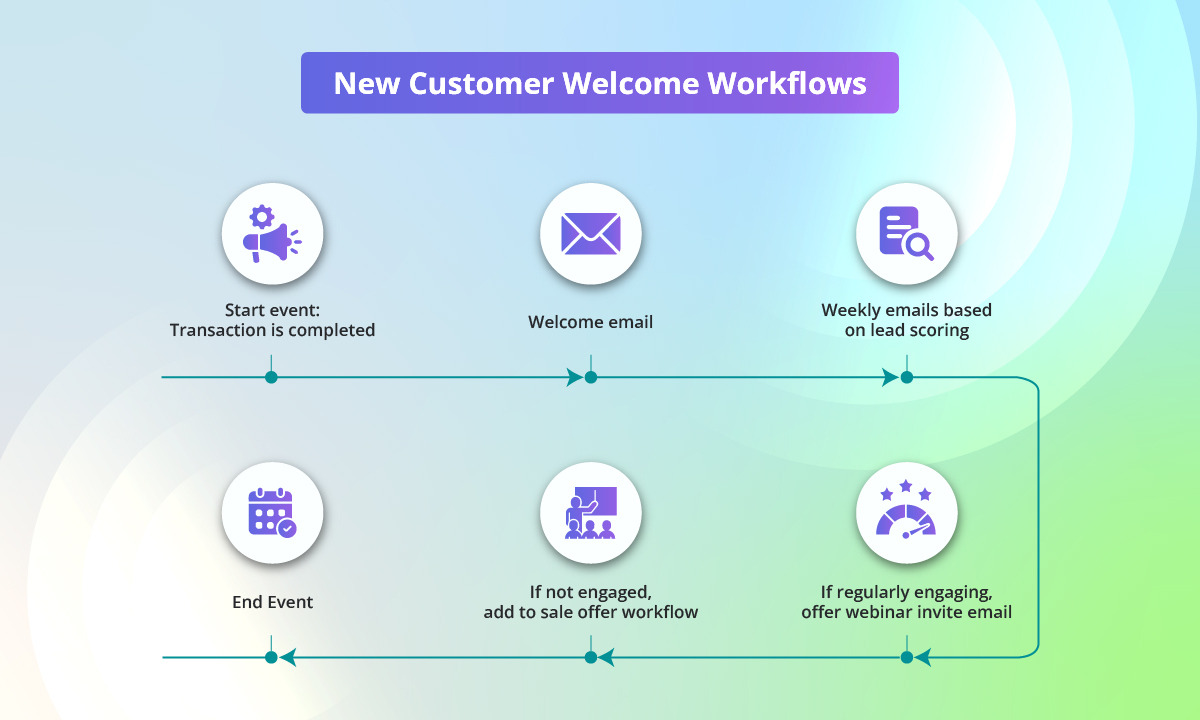
Cart abandonment emails are among the most profitable automations in eCommerce.
A typical 3-step workflow might look like this:
Mailmunch’s abandoned cart automation integrates directly with Shopify and WooCommerce to track and re-engage potential buyers automatically.
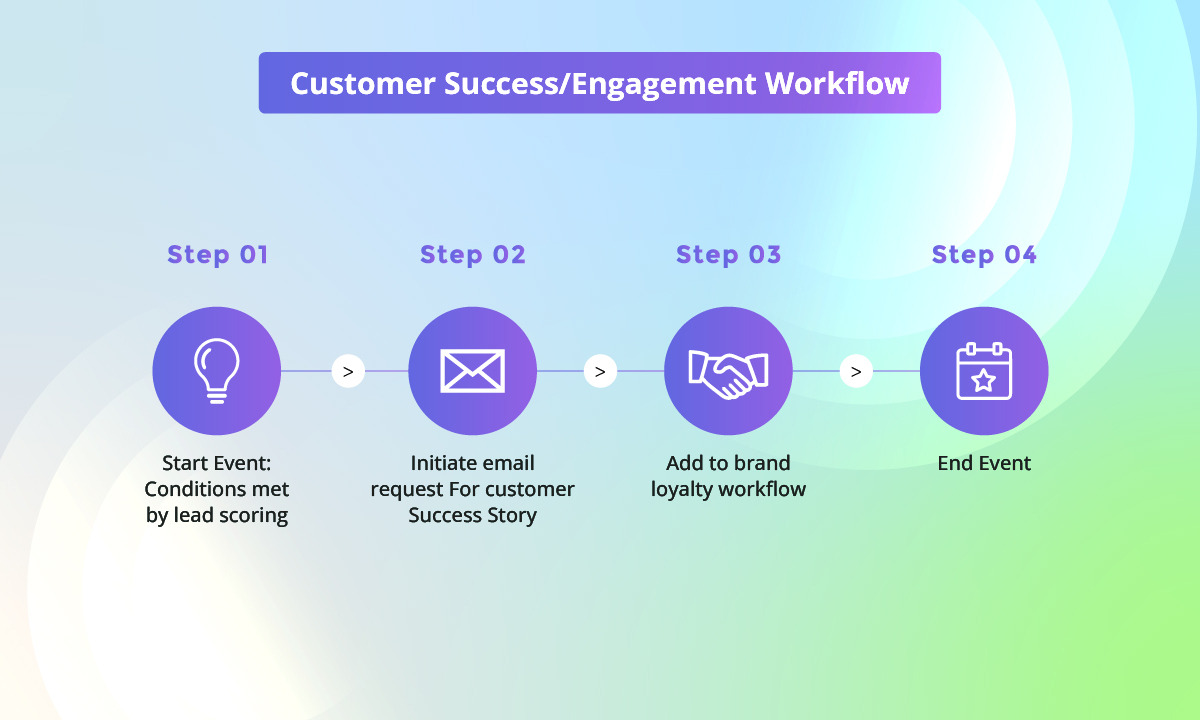
Inactive subscribers are inevitable, but automation helps revive interest.
Use a 3-step re-engagement campaign:
Mailmunch’s segmentation engine detects inactivity automatically and triggers these workflows to help maintain a healthy list.
Leverage customer data to suggest related products after purchases. Example:
This workflow strengthens loyalty and encourages repeat business.
Mailmunch’s Post-Purchase Templates help automate this customer lifecycle effortlessly, saving time while improving retention.
Automation delivers the best results when executed strategically. Here are essential best practices to follow:
Regularly remove bounced or unengaged contacts. A healthy email list improves deliverability and engagement metrics.
Go beyond basic demographics. Segment by customer lifetime value, last purchase, or engagement behavior to tailor content precisely.
Use dynamic fields and behavioral triggers to make each message feel unique. Mailmunch allows inserting personalized product recommendations, purchase history, and time-based incentives seamlessly.
Test sending frequencies to avoid fatigue. For example, Mailmunch’s analytics help determine the best time zones and hours for maximum open rates.
Experiment with subject lines, layouts, offers, and CTA buttons. Continuous testing refines your understanding of what your audience loves most.
Automation should enhance human connection, not replace it. Keep messaging conversational and aligned with your brand’s tone.
Ensure compliance with GDPR, CAN-SPAM, and privacy regulations. Mailmunch automatically handles consent collection and unsubscribe processes to keep you compliant.
Even the best marketers slip up. Avoid these pitfalls:
By learning from these mistakes, you’ll build more efficient, revenue-driven automations that continuously improve over time.
Optimization means ongoing refinement.
The brands that succeed in 2026 will be those that treat automation as a living, evolving system — not a one-time setup.
Mailmunch stands out as a leading eCommerce marketing automation tool. It combines intuitive design with enterprise-grade power.
The platform offers drag-and-drop builders, pre-built workflows, recommendations, and behavioral segmentation. Its Shopify and WooCommerce integrations make it a top choice for online stores aiming to increase retention, engagement, and sales with minimal manual work.
Great for marketers managing complex customer journeys with multiple touchpoints and integrations.
Best for enterprise-level companies with cross-department automation and CRM management.
An open-source platform ideal for technical teams looking to build customized automation workflows or integrate niche tools.
In today’s hyper-personalized digital world, manual marketing isn’t enough. Automation is the backbone of smart, scalable growth. Marketing automation workflows not only save time but also deliver data-driven personalization that boosts conversions and retention.
With Mailmunch, marketers get a complete toolkit ready-to-use templates, seamless integrations, AI insights, and powerful segmentation to turn automation into a revenue-generating engine.
1. How do marketing automation workflows work?
They operate through triggers and conditions that launch automated actions (emails, tags, or updates). Platforms like Mailmunch make setup simple with visual builders.
2. What are best practices for optimizing marketing automation workflows?
Segment smartly, personalize deeply, test consistently, and review analytics regularly.
3. Which AI tools improve marketing automation workflows?
Mailmunch’s AI tools analyze behavior patterns to optimize send times and recommendations automatically.
4. What are examples of effective workflows for eCommerce?
Welcome sequences, abandoned cart recovery, re-engagement, and post-purchase workflows all easily created in Mailmunch.
5. How can Mailmunch help?
Mailmunch helps you design, execute, and optimize marketing automation workflows through visual tools, templates, and AI analytics helping your brand achieve consistent growth.
Ayesha Ejaz is a passionate writer who loves diving into research to explore new topics and broaden her knowledge. With a keen interest in learning through writing, Ayesha crafts informative and engaging content across various subjects. You'll find her unwinding with music or challenging herself with word search puzzles when she's not writing.
Tags:


