

Last updated on
September 7, 2026
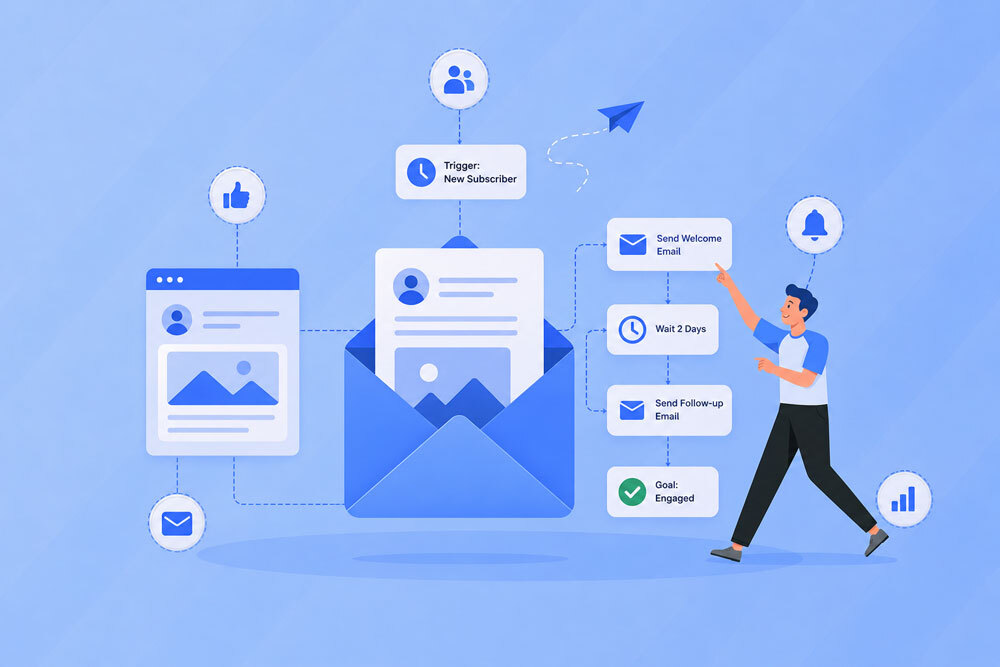
Email marketing automation has transformed the way businesses communicate with their audiences. Instead of manually sending every campaign, marketers can create automated workflows that deliver the right message based on a subscriber's actions, interests, lifecycle stage, or engagement history.
But automation alone does not guarantee a successful email marketing strategy.
A perfectly timed automated email can still fail if the experience surrounding it is confusing, irrelevant, difficult to navigate, or poorly designed. This is where UX and automation come together.
User experience, commonly known as UX, focuses on how people interact with a product, service, platform, website, or communication channel. In email marketing, UX extends beyond the visual appearance of an email. It includes everything from the signup experience and email content to personalization, navigation, calls to action, landing pages, follow-up messages, and the overall customer journey.
When UX principles are integrated into email automation, businesses can create customer journeys that feel intentional rather than robotic.
This guide explores the relationship between UX and automation, why it matters for email marketing, how UX influences automated customer journeys, common mistakes to avoid, and practical ways businesses can build more user-friendly automated email experiences.
UX and automation refers to the integration of user experience principles into automated digital processes and customer journeys.
UX focuses on making interactions easy, useful, intuitive, accessible, and satisfying. Automation focuses on using technology to execute predefined actions without requiring constant manual intervention.
When these two disciplines work together, automation is designed around the user's needs rather than simply the marketer's workflow.
For example, consider a business that sends an automated welcome email whenever someone subscribes.
A basic automation might simply send:
"Thanks for subscribing!"
A UX-focused automation considers the entire experience:
The second approach treats automation as part of a larger experience.
That distinction is important.
Automation tells you what happens automatically. UX determines whether that experience makes sense to the person receiving it.
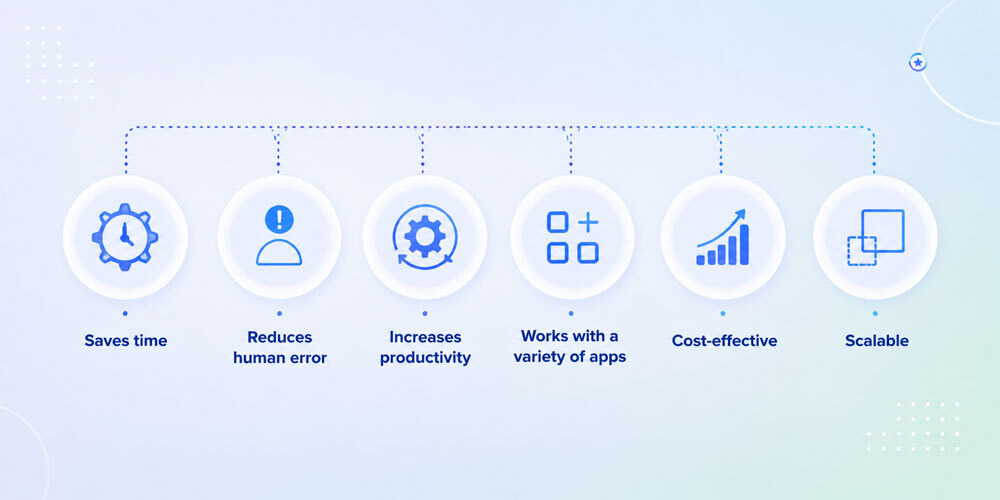
Email automation is often discussed in terms of efficiency, scalability, and revenue. While these benefits are important, automation also has a major impact on how customers perceive a brand.
A poorly designed automated journey can make a company feel impersonal or disconnected. A well-designed journey can make communication feel timely, helpful, and relevant.
Here are some of the biggest reasons UX matters in email automation.
One of the biggest challenges with automation is that customers can sometimes recognize when a message has been generated by a predefined workflow.
This is not necessarily because automation is bad. It is usually because the automation does not account for context.
For example, imagine receiving a promotional email for a product immediately after purchasing that exact product.
The message may technically be personalized because it references the customer's account, but the experience is still poor.
A UX-focused automation would recognize the purchase and adjust future communication accordingly.
The customer might instead receive:
The automation becomes more useful because it responds to the customer's journey.
Friction refers to anything that makes it harder for a user to complete an intended action.
In email marketing, friction can appear in many forms:
A UX-focused automation strategy identifies these friction points and removes them wherever possible.
For example, if an abandoned cart workflow sends users back to a complicated checkout process, optimizing the email alone will not solve the problem.
The entire journey needs to be considered.
Relevance is one of the foundations of effective email marketing.
Automation allows marketers to use subscriber information and behavioral data to determine what content should be delivered.
Depending on the platform and consent provided by the subscriber, businesses can use information such as:
UX turns this data into better experiences.
Instead of sending the same five-email sequence to every subscriber, marketers can create different paths based on behavior.
A subscriber who clicks an article about email automation, for example, may be more interested in receiving additional automation-related content than someone who consistently engages with ecommerce content.
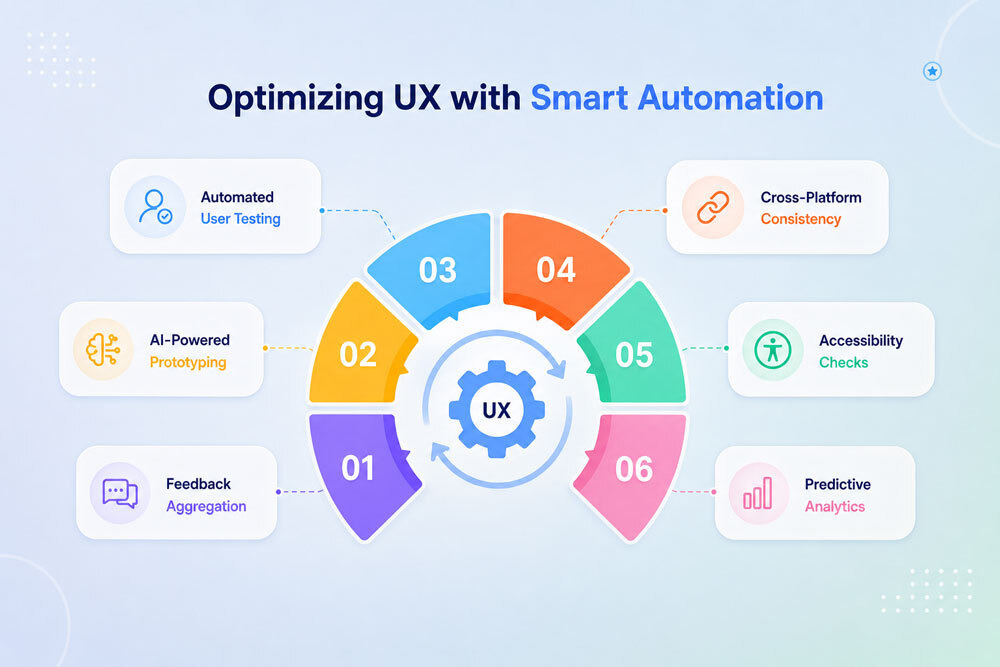
UX and automation are closely connected because automation controls many of the interactions customers have with a brand.
Think about the customer journey as a series of touchpoints.
A person might:
Discover → Subscribe → Receive Welcome Email → Browse → Abandon Cart → Purchase → Receive Follow-Up → Become Repeat Customer
Automation can control communication at each stage.
UX determines how those interactions feel.
This creates a useful framework:
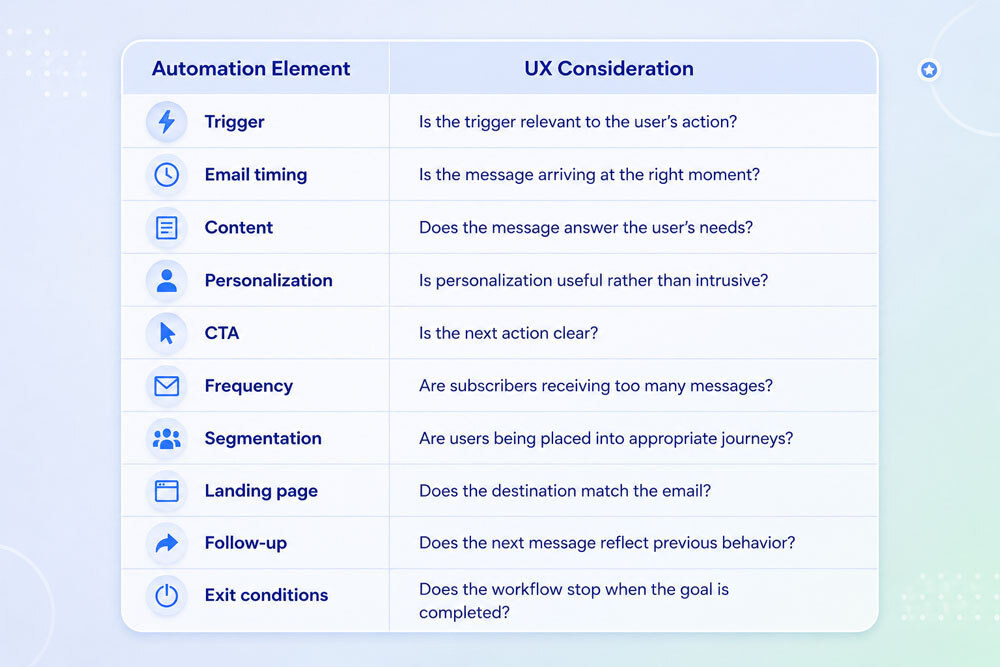
This is why successful email automation should not be viewed as a collection of isolated campaigns.
It should be viewed as an automated user experience.
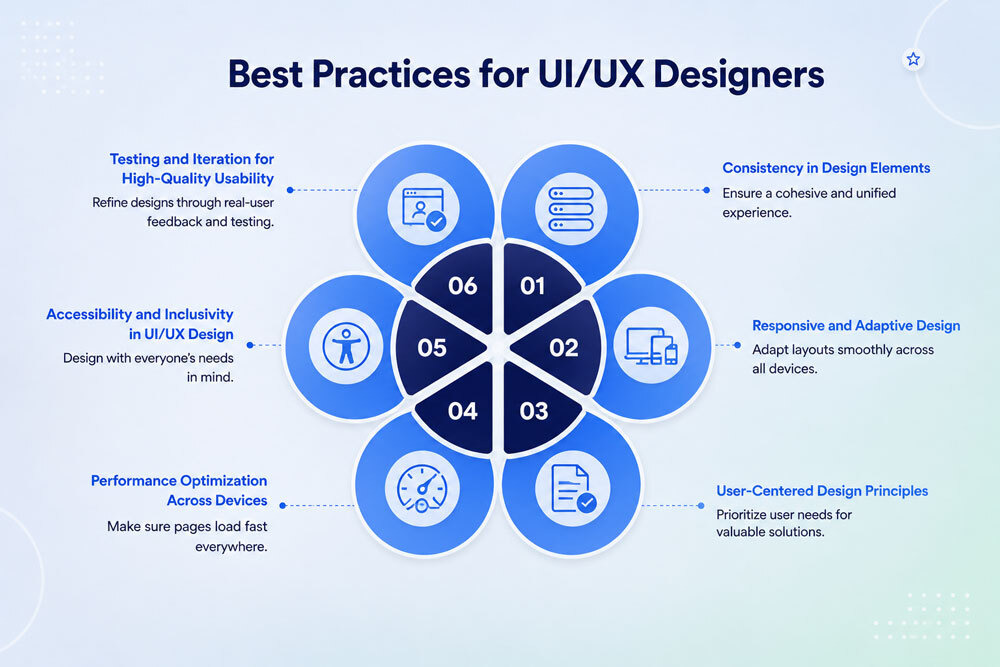
Several UX principles are particularly important when designing automated email journeys.
Every automated email should have a clear purpose.
The recipient should quickly understand:
Avoid forcing subscribers to interpret complicated messaging.
For example, instead of using a vague CTA such as "Learn More," a more descriptive CTA could be:
Explore Your Recommended Products
or
Complete Your Setup
Specific CTAs reduce uncertainty and create a clearer user journey.
Consistency helps users understand and trust automated communications.
This includes consistency in:
If an email uses one visual language while the landing page looks completely unrelated, the experience can feel disconnected.
The email and the destination should feel like parts of the same journey.
Automation can become complicated behind the scenes, but customers should not have to experience that complexity.
A sophisticated workflow may contain dozens of conditions, branches, tags, delays, and behavioral triggers.
The subscriber should simply receive a message that makes sense.
This principle is particularly important for:
The technology can be complex.
The experience should not be.
Good UX gives users feedback after they take an action.
Email automation can provide this feedback automatically.
For example:
User signs up → Welcome email
User purchases → Order confirmation
User submits a request → Confirmation email
User changes preferences → Preference confirmation
User completes onboarding → Next-step recommendation
This reassures customers that their actions have been recognized.
Email UX should also consider accessibility.
Important practices include:
Accessibility is not simply a compliance consideration. It is part of creating a better experience for a wider audience.
The relationship between UX and automation begins before the first automated email is sent.
It starts with the signup experience.
A poorly designed signup form can create friction before automation even begins.
For example, asking a new subscriber for their:
may be unnecessary if the only goal is to send a newsletter.
A better UX approach is to collect the minimum information necessary initially and gather additional information later when appropriate.
Progressive profiling can help businesses gradually learn more about subscribers instead of asking for everything upfront.
The signup experience should also clearly communicate:
This establishes expectations and improves the transition into the automated journey.
Welcome emails are one of the most important automated experiences because they introduce subscribers to the brand.
A strong welcome sequence does more than confirm a subscription.
It can:
For example, an email marketing platform could use a welcome sequence such as:
Email 1: Welcome and account introduction
Email 2: Getting started guide
Email 3: Most useful features or resources
Email 4: Educational content based on interests
Email 5: Conversion-focused offer or next step
UX becomes particularly important here because new users should never feel overwhelmed.
Instead of explaining every feature at once, onboarding automation can introduce information progressively.
Behavioral automation is one of the strongest opportunities for combining UX and automation.
Behavioral automation responds to what users actually do rather than relying exclusively on demographic information.
For example:
If a subscriber clicks Product A → send Product A educational content.
If they view Product B but do not purchase → trigger a relevant follow-up.
If they purchase → remove them from promotional messages for that product.
If they repeatedly engage with a content category → prioritize similar content.
This creates a responsive customer journey.
The key UX principle is simple:
The user's behavior should influence what happens next.
Segmentation is another major connection between UX and automation.
Sending every subscriber the same automated journey assumes that every subscriber has identical needs.
They do not.
Subscribers can be segmented according to:
Consider an email marketing company with three audiences:
Beginner marketers
They may need educational guides and introductory resources.
Growing businesses
They may be more interested in automation, segmentation, and optimization.
Advanced marketers
They may want analytics, advanced workflows, integrations, and sophisticated testing.
The same automated journey would not necessarily provide an equally strong experience for all three groups.
Segmentation allows automation to become more relevant.
Personalization is often associated with adding someone's first name to an email.
While this can be useful, modern personalization can go much further.
Effective personalization can include:
However, personalization should always serve a purpose.
Using too much personal information can feel intrusive.
The UX question should therefore be:
Does this personalization make the experience more useful?
If the answer is no, it may not belong in the email.
Abandoned cart emails are a strong example of where UX and automation intersect.
A basic abandoned cart email might remind customers about the items they left behind.
A UX-focused sequence considers why the customer may have abandoned the purchase.
Potential reasons include:
An automated sequence can address some of these concerns.
For example:
Email 1: Simple reminder
Email 2: Product information and benefits
Email 3: Social proof or frequently asked questions
Email 4: Incentive, where appropriate
The goal should not simply be to send more reminders.
The goal is to remove uncertainty and make the next step easier.
The customer experience should not end when a transaction is completed.
Post-purchase automation can significantly influence satisfaction and retention.
Useful post-purchase emails include:
The timing and sequence matter.
For example, asking for a product review immediately after purchase may be premature if the customer has not received or used the product.
UX encourages marketers to think about the customer's actual situation before triggering the next message.
Not every subscriber remains engaged forever.
Re-engagement automation can help identify inactive subscribers and give them an opportunity to reconnect.
However, sending repeated emails to inactive users without changing the experience can make the problem worse.
A better approach is to ask:
Why did engagement decline?
A re-engagement journey might offer:
If the subscriber does not respond, the workflow can eventually reduce communication or remove them from active marketing segments.
This improves both UX and email list health.
One of the most overlooked aspects of automated email UX is frequency.
A subscriber might qualify for several different workflows simultaneously.
For example, they could be:
Without proper automation controls, that subscriber could receive several emails in a short period.
From the marketer's perspective, every email may be relevant.
From the subscriber's perspective, the overall experience may feel overwhelming.
Frequency rules, suppression segments, workflow priorities, and exit conditions can help prevent this.
The objective is not maximum email volume.
It is maximum relevance with an appropriate communication frequency.
A large proportion of email interactions happen on mobile devices, making responsive design essential.
Automated emails should be easy to use regardless of screen size.
Important considerations include:
Avoid excessively small typography.
Readers should be able to scan the email and understand the primary message quickly.
Buttons should be sufficiently large and separated from surrounding links.
Long walls of text are difficult to navigate on smaller screens.
Large images can negatively affect loading times and user experience.
Do not force users to search through an email for the intended action.
Mobile UX should be considered during email creation rather than treated as a final-stage adjustment.
Email UX does not end when someone clicks.
The landing page is part of the same experience.
This is one of the most important concepts in UX and automation.
Suppose an automated email promotes a free guide.
The CTA says:
Download the Email Marketing Guide
The user clicks and arrives at a landing page that:
The email may have performed well, but the overall user experience is poor.
A strong email-to-landing-page journey maintains:
Message consistency → Visual consistency → Intent consistency → CTA consistency
The user should feel that they have arrived exactly where they expected to go.
Behind every automated customer experience is a workflow.
A well-designed workflow should consider more than triggers.
It should include:
What action starts the journey?
Examples include:
What determines the next step?
Examples include:
What should the automation do?
Examples include:
How much time should pass before the next action?
When should the subscriber leave the journey?
Exit conditions are particularly important from a UX perspective.
If a subscriber purchases a product, there is little reason to continue sending them abandoned cart reminders for that product.
Good automation recognizes when the user's goal has changed.
Even sophisticated automation systems can create poor experiences.
Here are some common mistakes to avoid.
A one-size-fits-all journey limits relevance.
Use segmentation and behavioral triggers wherever they add genuine value.
Adding personal information simply because it is available does not necessarily improve UX.
Personalization should be useful and contextually appropriate.
Automation should remember meaningful customer actions.
If someone has already completed a specific action, continuing to encourage them to do it creates friction.
More automation does not necessarily mean better automation.
Every email should have a reason to exist.
A relevant email can still feel irrelevant if it arrives at the wrong moment.
Timing should reflect the user's behavior and stage in the journey.
Too many competing actions can make the next step unclear.
Whenever possible, establish one primary action.
Email and landing page UX should be designed together.
The click is not the end of the experience.
Even carefully planned journeys can behave differently than expected.
Test:
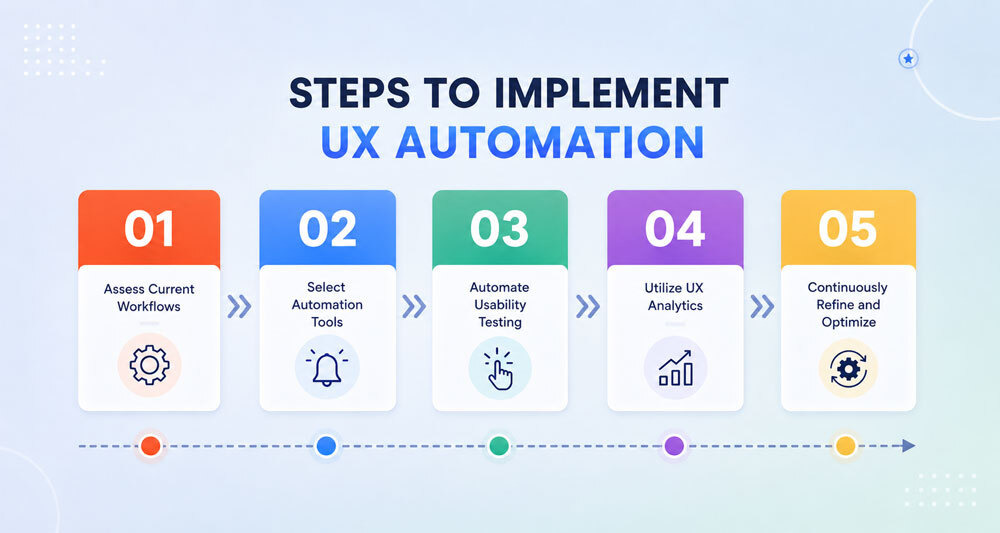
Businesses can follow a structured process to bring UX and automation together.
Start by identifying the major stages of the customer lifecycle.
For example:
Awareness → Signup → Activation → Purchase → Retention → Loyalty
Identify the emails and interactions associated with each stage.
Ask what the customer is trying to accomplish at every stage.
A new subscriber may want information.
A shopper may want reassurance.
A new customer may need onboarding.
A repeat customer may want convenience or rewards.
The automation should support that intent.
Review each stage and ask:
These insights can guide both UX improvements and automation rules.
Determine which customer characteristics or behaviors genuinely require different experiences.
Avoid creating dozens of segments simply because your platform allows it.
Segmentation should have a purpose.
Every automation should have a clear starting point and stopping point.
This prevents customers from becoming trapped in irrelevant journeys.
Develop the messaging based on the user's stage, intent, and likely needs.
Avoid designing the sequence purely around what the business wants to promote.
Make sure every CTA leads to a page that fulfills the promise made in the email.
Do not test only individual emails.
Test the journey from beginning to end.
Ask:
What would this experience feel like if I were the customer?
That question can reveal problems that traditional email metrics may not immediately show.
UX can sometimes seem difficult to measure because it involves qualitative experiences.
However, several email marketing metrics can provide useful signals.
Open rates can indicate whether subject lines and timing are encouraging recipients to engage, although they should not be treated as a complete measure of UX.
CTR can show whether email content and CTAs are generating interest.
Conversion rate is particularly useful because it measures whether the email experience is contributing to the intended action.
A sudden increase in unsubscribes may indicate that subscribers are receiving irrelevant or excessive communication.
Spam complaints can be an important warning sign that the email experience is not meeting subscriber expectations.
Monitoring engagement trends can help identify whether automated journeys are maintaining or losing relevance.
Businesses can also examine how many users successfully move through an automated journey and where they drop out.
The strongest approach is to evaluate multiple metrics together rather than relying on a single KPI.
A/B testing can help marketers determine which experiences perform better.
Instead of testing only subject lines, businesses can test UX-related elements such as:
For example, an abandoned cart workflow could test:
Version A: Reminder email immediately after abandonment
Version B: Reminder email after a longer delay
The goal is not simply to identify the version with the highest click-through rate.
Marketers should consider whether the winning variation also improves the downstream conversion experience.
The Role of AI in UX and Automation
Artificial intelligence is increasingly becoming part of email marketing automation.
AI can help marketers:
However, AI should support UX rather than replace UX thinking.
An AI-generated email can still be irrelevant.
An automated recommendation can still be poorly timed.
A personalized message can still feel intrusive.
Human oversight remains important because good UX requires understanding context, intent, and customer expectations.
The best approach is to combine automation and AI efficiency with human judgment.
Acquiring a customer is only one part of sustainable growth.
Retention depends heavily on the experience customers receive after their initial interaction with a brand.
Email automation can support retention by creating timely experiences around:
A retention-focused automation strategy should continuously ask:
What does this customer need next?
That question shifts the strategy from repeatedly asking customers to buy to helping them get more value from their relationship with the brand.
Consider an online skincare store.
A visitor signs up to receive skincare advice.
The subscriber receives:
The business is automating communication, but the experience is not particularly personalized.
The subscriber receives:
The second journey is more closely aligned with the customer's needs.
That is the practical value of combining UX and automation.
To build better automated email experiences, keep these principles in mind:
Design automation around customer needs rather than simply around available platform features.
If an email does not provide meaningful value, reconsider whether it needs to be sent.
Use customer actions to improve relevance without creating an intrusive experience.
The backend can be sophisticated while the front-end experience remains straightforward.
Avoid overwhelming subscribers with overlapping workflows.
Give users a logical next step.
Make emails, landing pages, websites, and other touchpoints feel connected.
A responsive experience is essential.
Remove customers from journeys when they complete the intended action.
Use A/B testing and performance data to identify opportunities for improvement.
Analytics tell you what happened. Customer feedback can help explain why.
The future of email marketing is moving toward increasingly contextual and adaptive customer journeys.
Instead of relying solely on fixed sequences, businesses can build systems that respond dynamically to customer behavior.
For example, an automated system could recognize that a subscriber:
The automation could then adapt the next communication accordingly.
This creates a shift from static automation to responsive automation.
The objective is not to automate every possible interaction.
It is to use automation intelligently to make the customer experience more relevant, timely, and useful.
UX and automation are most effective when they are treated as complementary disciplines.
Automation provides the infrastructure needed to deliver communication at scale. UX ensures that those communications make sense from the customer's perspective.
For email marketers, this means looking beyond individual emails and considering the entire customer journey.
A successful automated experience should answer several questions:
When the answer to these questions is yes, automation becomes more than a tool for saving time.
It becomes a way to create better customer experiences at scale.
The strongest email marketing strategies do not force customers through automated funnels. They use automation to respond to customers, anticipate their needs, reduce friction, and guide them toward useful next steps.
That is where UX and automation truly come together: creating automated journeys that feel less like machines sending messages and more like thoughtful experiences designed around the people receiving them.
Ayesha Ejaz is a passionate writer who loves diving into research to explore new topics and broaden her knowledge. With a keen interest in learning through writing, Ayesha crafts informative and engaging content across various subjects. You'll find her unwinding with music or challenging herself with word search puzzles when she's not writing.
Tags:


